Internal linking is the only significant ranking lever a store fully controls, requires no permission to use, and costs nothing per link.
It is also the one most consistently left alone. Stores will spend months chasing external links while every product page sits with two internal links pointing at it, both from a navigation grid, both with no descriptive anchor.
That is the opportunity. External links are hard, slow and partly outside your control. Internal links are none of those things.
What internal links actually do
Three jobs, and knowing which one you are working on prevents most confusion.
They distribute authority. Whatever a page has earned flows along its outbound links. A page with earned links and no internal links out is a reservoir with no outlet.
They state relationships. An internal link with a descriptive anchor tells a search engine what the destination is about. This is the most direct statement you can make about your own page, and most stores waste it on "read more".
They create discovery paths. A page reachable only through page 14 of a category is effectively invisible, whatever the sitemap claims.
The four links every store needs
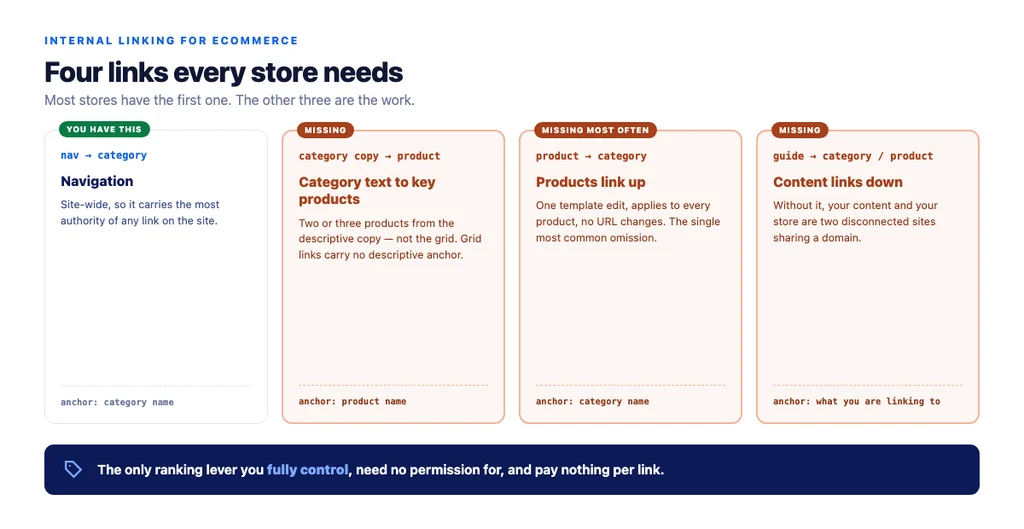
Most stores have one of these. The other three are the work.
1. Navigation to category. Present on virtually every store. Carries the most authority of any link on the site because it appears site-wide.
2. Category copy to key products. From the descriptive text above or below the grid, link the two or three products that best represent the range — using the product name as the anchor. Not the grid; the grid links have no descriptive anchor and appear on every category identically.
3. Product back up to category. Every product page linking to its category with the category name as the anchor. Themes rarely do this by default, it requires no URL changes, and it is the single most commonly missing internal link on ecommerce sites.
4. Guide to category and product. Any content page that ranks for a research query should link down to the commercial page it supports, with a descriptive anchor. Without this, content and commerce are two disconnected sites sharing a domain.
Writing anchors that do something
The anchor is the statement. Most stores throw it away.
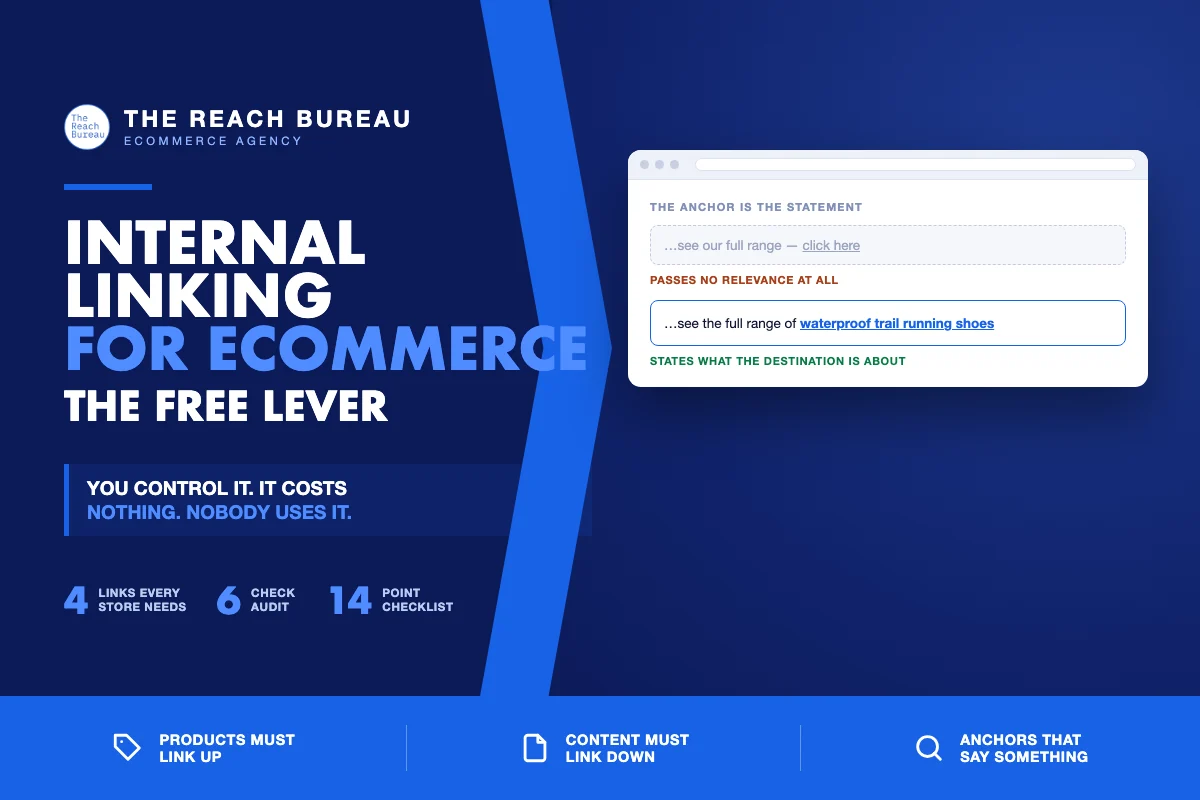
Use the destination's name. "Waterproof trail running shoes" tells a search engine what the linked page is about. "Click here" tells it nothing and passes no relevance.
Vary naturally. Every internal link using the identical exact-match phrase reads as engineered. Natural variation — the category name, a close phrasing, occasionally the brand or product name — is both better writing and a healthier pattern.
Avoid "read more", "shop now", "learn more" as the only anchor. Fine as a button; useless as your only link to a page.
Link from body copy, not only from components. Template links are valuable but identical across pages. A link inside a sentence is contextual and carries more meaning.
Finding what is broken
An afternoon, and it usually surfaces more than a technical audit.
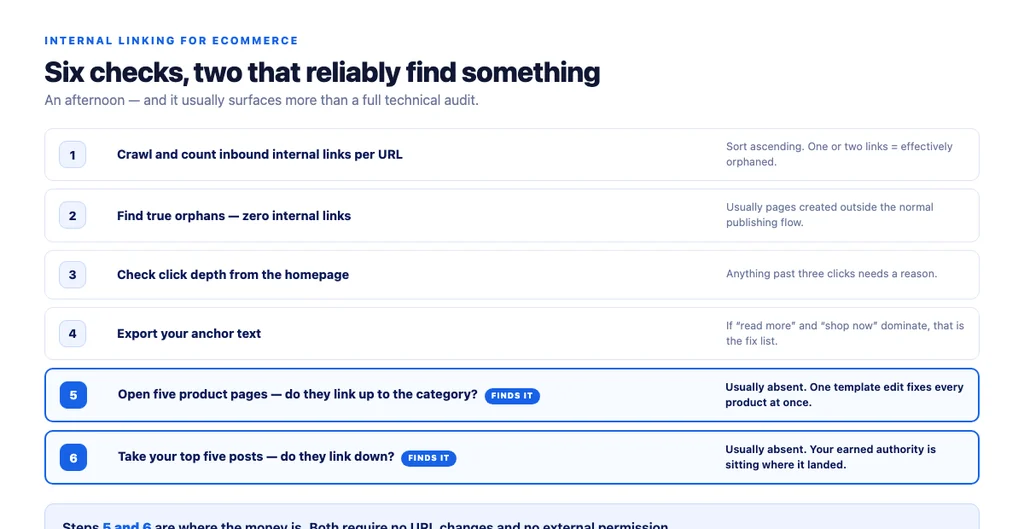
1. Crawl the site and count internal links per URL. Sort ascending. Anything with one or two inbound links is effectively orphaned. 2. Find true orphans — indexable pages with zero internal links. These usually exist because they were created outside the normal flow. 3. Check click depth. Anything beyond three clicks from the homepage needs a reason. 4. Export your anchors. If "read more" and "shop now" dominate, that is your fix list. 5. Check whether products link up. Open five product pages and look for a link to the category with a descriptive anchor. Usually absent. 6. Check whether your best content links down. Take your top five blog posts by traffic and look for links to categories or products. Usually absent.
Steps 5 and 6 are the two that reliably find something.
Priorities when you have limited time
In order of return:
1. Add up-links from products to categories. One template change, applies to every product, no URL changes. 2. Link your top content down to commercial pages. Highest-value single fix — it connects earned authority to pages that convert. 3. Add links from category copy to key products. Requires writing, so it is slower, but it makes both pages better. 4. Fix orphans. Low volume, high per-page impact. 5. Rewrite generic anchors. Slowest and least urgent, but it compounds.
What to avoid
- Automated "related products" everywhere. Volume of links is not the goal; relevance and anchor quality are. A block linking every product to twenty others dilutes rather than distributes.
- Footer link farms. Fifty category links in a footer on every page is a pattern, not a structure.
- Exact-match anchors at scale. Identical anchor text on hundreds of internal links reads as engineered.
- Linking to non-indexed pages from navigation. If you canonicalised a filtered view away, do not link to it as an ordinary link.
The checklist
- Site crawled; internal links counted per URL
- Pages with one or two inbound links identified
- True orphans found and linked or removed
- Click depth checked; anything past three clicks justified
- Anchor text exported and reviewed
- Every product page links up to its category
- Up-link anchor is the category name, not "back"
- Category copy links down to two or three key products
- Product-name anchors used on those links
- Top content pages link down to categories or products
- Related categories cross-linked where a shopper might switch
- Generic anchors replaced in body copy
- Anchors vary naturally rather than repeating one phrase
- No ordinary links to canonicalised or non-indexed views
Sources
- Google Search Essentials — Google Search Central
- SEO Best Practices for Ecommerce Sites — Google Search Central
- Creating Helpful, Reliable, People-First Content — Google Search Central
- Ecommerce Product Data and Content on Google — Google Search Central
- Intro to Product Structured Data on Google — Google Search Central
FAQs
Want this run against your store? Book a call with The Reach Bureau.