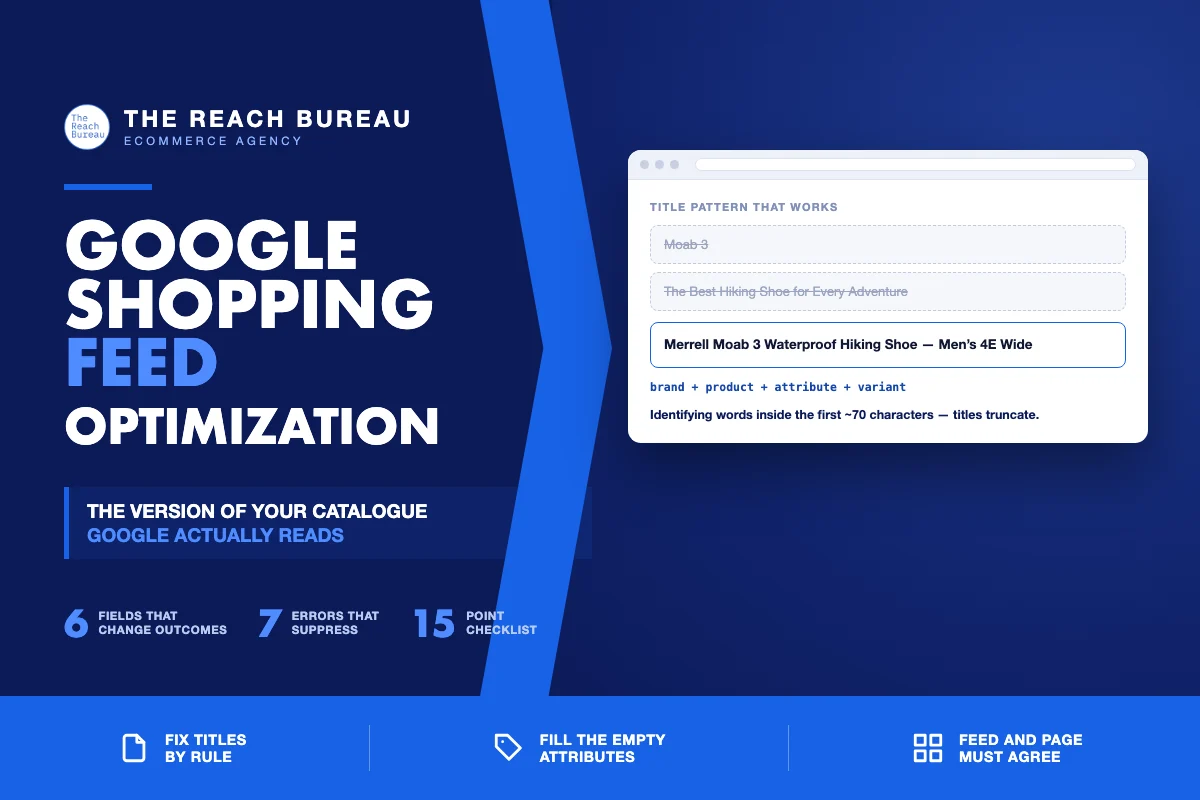
Your product feed is the version of your catalogue that Google actually reads, and for most stores nobody has ever looked at it.
It gets generated by a plugin from whatever fields happen to exist, uploaded, and forgotten. Products get disapproved silently. Titles arrive truncated. Attributes that decide whether you appear for a filtered search sit empty. None of this shows up on your website, so nothing prompts anyone to check.
The feed is also increasingly the same data that AI shopping surfaces consume. Getting it right has stopped being a paid-media chore and become part of how a store is understood.
The attributes that actually matter
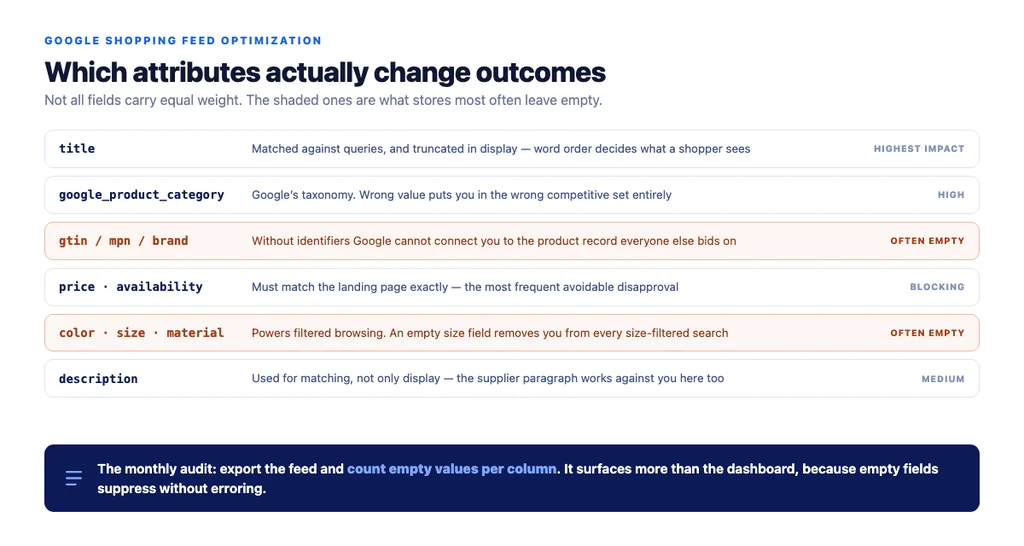
Not all fields carry equal weight. These are the ones that change outcomes.
title — the single highest-impact field. It is matched against queries, and it is truncated in display, so the order of words decides what a shopper sees. More on this below.
description — used for matching, not just display. The manufacturer's paragraph works against you here for the same reason it does on your product page.
google_product_category — Google's own taxonomy. Getting this wrong puts you in the wrong competitive set. Use the most specific applicable value, not the closest broad one.
product_type — your taxonomy. Unlike the above, this is yours to define, and it is what campaign structure hangs off.
gtin / mpn / brand — identifiers. Missing GTINs on branded products is a common cause of poor matching, because Google cannot connect your listing to the product record everyone else is bidding on.
availability and price — must match the landing page exactly. Mismatches cause disapproval, and they are the most frequent avoidable error.
Attribute fields — color, size, material, age_group, gender. These power filtered browsing. An empty size field removes you from every size-filtered search.
Fixing titles at scale
Titles carry the most weight and are the most consistently wrong, because they are usually just the product name from your CMS.
The pattern that works puts the words a shopper searches first, because titles truncate:
Brand + Product + Key Attribute + Size/Variant
"Merrell Moab 3 Waterproof Hiking Shoe — Men's 4E Wide" beats "Moab 3" and beats "The Best Hiking Shoe for Every Adventure — Merrell."
Rules worth applying across the catalogue:
- Brand first for branded goods; category first for unbranded
- The distinguishing attribute early — waterproof, wide fit, organic, refurbished
- No promotional language: "sale", "free shipping", "best" get products disapproved
- No ALL CAPS, no decorative characters
- Keep the important part inside roughly the first 70 characters
Do it with rules, not by hand. Most feed tools let you build titles from fields. A rule that assembles brand + title + colour + size across four thousand products is an afternoon; editing four thousand titles is not.
The errors that quietly suppress products
Disapprovals are visible in Merchant Center. The quieter problems are the ones worth hunting.
| Problem | Symptom | Fix |
|---|---|---|
| Price mismatch | Disapproval, or intermittent | Feed price must match landing page including currency and tax display |
| Missing GTIN on branded goods | Poor matching, low impressions | Add identifiers; use identifier_exists: no only when genuinely absent |
Wrong google_product_category | Appearing in the wrong comparisons | Use the most specific applicable node |
| Empty attribute fields | Absent from filtered searches | Populate color, size, material at minimum |
| Landing page out of stock | Disapproval | Feed availability must reflect reality at crawl time |
| Truncated title | Low click-through | Restructure so the identifying words come first |
| Image with overlay text | Disapproval | Clean product images only, no badges or watermarks |
The audit worth running monthly: export the feed, count how many products have an empty value in each attribute column, and sort by which gaps affect the most products. That single view usually reveals more than the diagnostics dashboard.
Where the feed meets AI shopping
Assistants answering shopping questions need structured facts, and product feed data is the cleanest structured description of a catalogue that exists.
The overlap is direct: the same completeness that makes a feed perform in Shopping — populated attributes, accurate availability, specific titles, real identifiers — is what lets an assistant match your product against a constrained query like "waterproof hiking boot, wide fit, under $150."
Two practical implications:
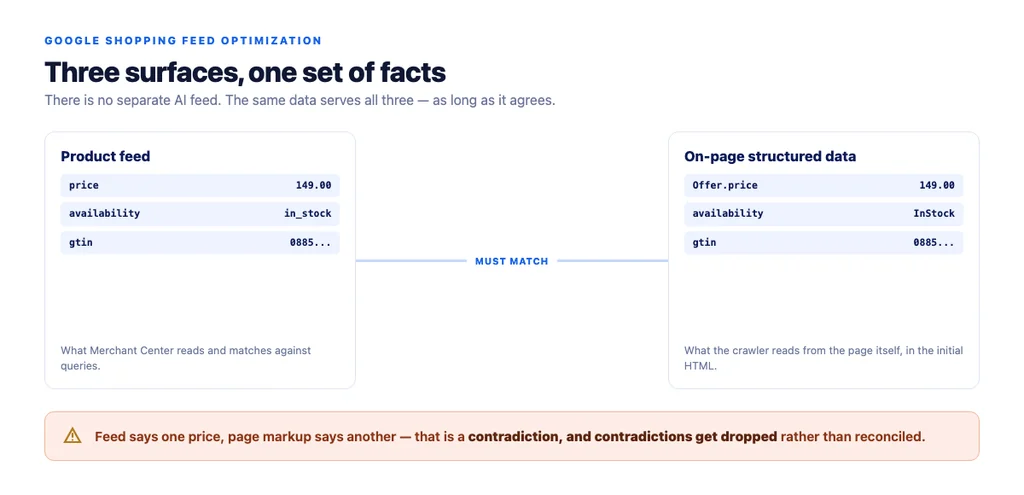
- Consistency across surfaces matters. If your feed says one price and your product page's structured data says another, you have given contradictory inputs, and contradictions get dropped rather than reconciled.
- The same discipline serves both. There is no separate AI feed. Per Google's Product structured data documentation, your on-page markup should carry price and availability too — and it should match the feed exactly.
The checklist
- Feed exported and reviewed manually, not just via the dashboard
- Empty-value count per attribute column measured
titlebuilt by rule: brand, product, key attribute, variant- Identifying words inside the first ~70 characters
- No promotional language or ALL CAPS in titles
descriptionoriginal, not the manufacturer's paragraphgoogle_product_categoryset to the most specific applicable nodeproduct_typereflects your own taxonomy for campaign structuregtin,mpnandbrandpopulated on branded productsidentifier_exists: noused only where genuinely absentpriceandavailabilitymatch the landing page exactlycolor,sizeandmaterialpopulated- Images clean — no overlay text, badges or watermarks
- On-page
Product+Offermarkup matches feed values - Monthly export-and-audit scheduled
Sources
- Intro to Product Structured Data on Google — Google Search Central
- How To Add Merchant Listing Structured Data — Google Search Central
- Ecommerce Product Data and Content on Google — Google Search Central
- SEO Best Practices for Ecommerce Sites — Google Search Central
- Creating Helpful, Reliable, People-First Content — Google Search Central
Frequently Asked Questions
Want this run against your store? Book a call with The Reach Bureau.