A product page ranking for the wrong query is worse than a product page ranking for nothing. It looks like progress in a rankings report, it generates impressions, and it converts at close to zero — so it quietly funds the belief that SEO is working while revenue stays flat.
The pattern is always the same. The page picks up a broad, informational term it can never satisfy, and misses the narrow commercial term it would have won. Nobody notices, because nobody looks at which queries the page actually attracts.
This is the process we run to fix it: diagnose the mismatch, correct it in the order that matters, and verify the change moved the right number.
What "wrong keywords" actually means
Three distinct failures get described the same way, and they need different fixes.
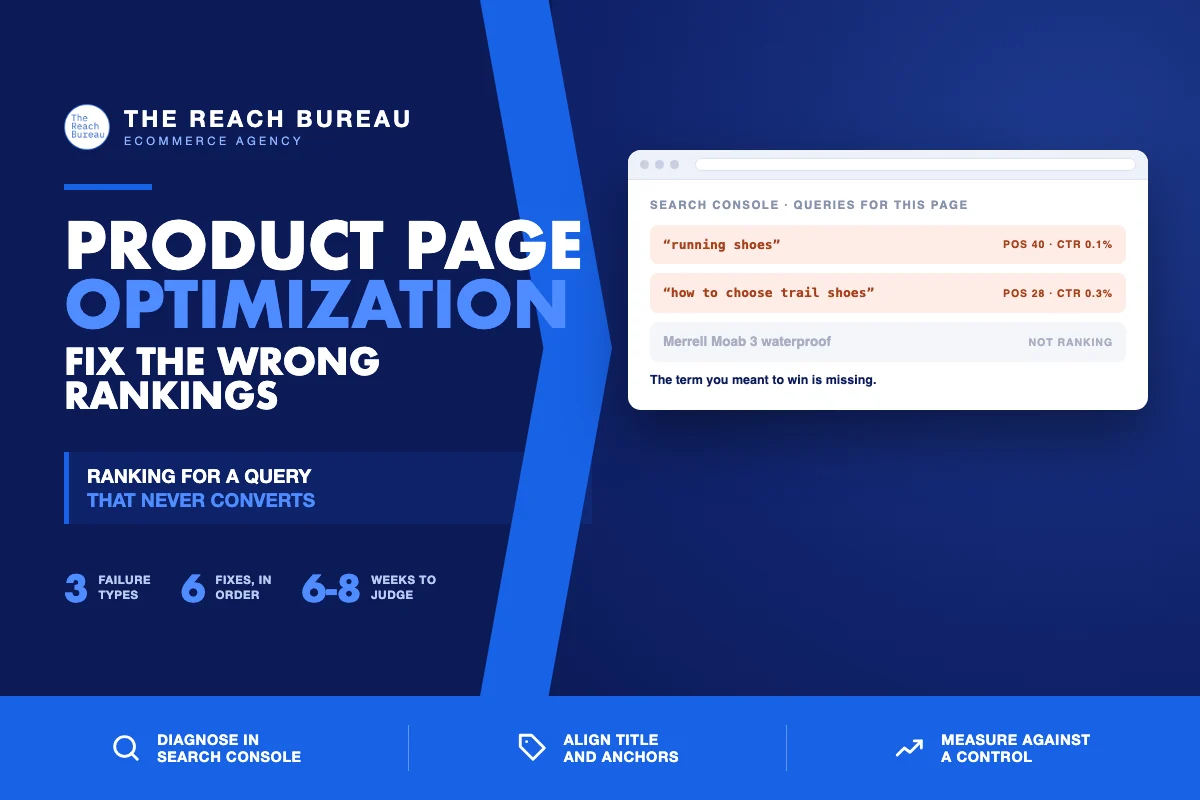
The page ranks too broad. A page selling one trail running shoe appears for "running shoes." That term belongs to a category page, so the product page shows up at position 40, gets impressions, and earns almost no clicks. The intent behind the query is browsing; the page offers a single SKU.
The page ranks for an informational query. The description mentions "how to choose hiking boots," so the page attracts research traffic. Those visitors are not buying yet, and a product page is a poor answer to a research question. Bounce follows.
The page ranks instead of another page of yours. Two of your URLs target the same term, Google picks one, and it picks the wrong one — a product page outranking the category page that would have converted better, or a blog post outranking both.
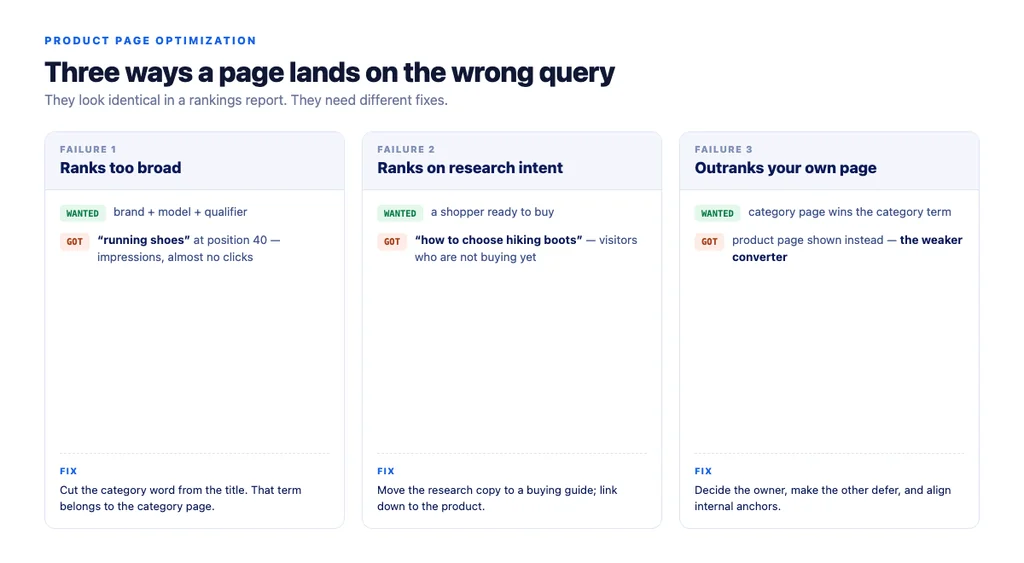
The fix differs in each case, which is why diagnosis comes before optimization.
Diagnosing it in Search Console
This takes about ten minutes per page and it is the only step that cannot be skipped.
1. Open Search Console → Performance → Pages and select the product URL. 2. Switch to the Queries tab. You now have the actual list of terms this page appears for, ranked by impressions. 3. Compare that list to the term you meant to target. Write the intended term down first — otherwise you will rationalise whatever you find. 4. Sort by impressions, then look at CTR. High impressions with near-zero CTR is the signature of a mismatch: Google shows the page, and searchers can tell it is not what they asked for. 5. Check position. A page sitting at position 30–60 for a broad term and nowhere for its own product term is the classic broad-ranking failure.
Two numbers tell you most of it. If the intended term does not appear in the query list at all, the page is not competing for it. If it appears but ranks far below the broad term, the page's signals point the wrong way.
Fixing it, in order
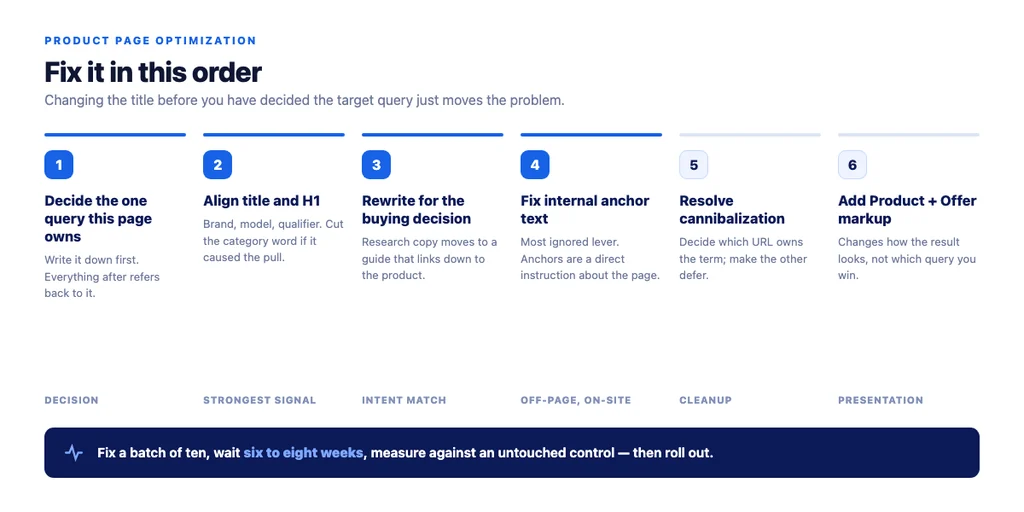
Order matters here. Changing the title before you have decided the target query just moves the problem.
1. Decide the one query this page owns
One page, one primary query. Write it down. Every subsequent decision refers back to it.
For a product page, that query names the product: brand, model, and the qualifier that distinguishes it. If the term you want is a category term, the honest answer is that this page should not target it — the category page should, and this page should link up to it.
2. Make the title and H1 agree with that choice
The title is the strongest on-page signal about what the page is for, and it is usually the thing pulling the page toward the wrong query.
- Lead with brand and model, written as people search it.
- Include the distinguishing qualifier — "waterproof," "wide fit," "for sensitive skin."
- Cut the broad category word if it is doing the damage. A title that opens with "Running Shoes —" invites the broad match.
- One H1, matching the product name, not the store name.
3. Rewrite the body copy toward the buying decision
If the page attracts research queries, it is because the copy answers research questions. That content is not wasted — it is misplaced. Move it to a buying guide and link from there to the product.
What stays on the product page is the decision content: how this model differs from the one above and below it, sizing and fit, materials, what it is not for. Concrete, specific, and unique to your store rather than the manufacturer's paragraph.
4. Fix the internal links pointing at it
Internal anchor text is a direct instruction about what a page is about, and it is the most commonly ignored lever on this list.
- If every internal link to the product says "running shoes," you have told Google the page is about running shoes.
- Change the anchors to the product name and its qualifier.
- Link from the category page's descriptive text, not only from the product grid.
- Link from any buying guide that recommends this product, using the product name as the anchor.
5. Resolve the cannibalization
If a second URL of yours targets the same query, decide which one should own it and make the other defer:
| Situation | Fix |
|---|---|
| Product page competing with category page | Category owns the category term; product owns the product term; product links up to category |
| Variants competing with each other | Use ProductGroup and variant markup; canonical resolves to one page |
| Blog post outranking the product | Keep the post, retarget it to the research query, and link it down to the product |
6. Add the structured data
Product and Offer markup with price and availability does not change what query you rank for, but it changes how the result looks once you do — and per Google's merchant listing documentation, it should sit in the initial HTML rather than being injected client-side, because dynamically generated markup makes shopping crawls less frequent and less reliable.
What not to do
Do not delete the page and start again. It carries links and history. Retargeting an existing URL is faster and keeps what it earned.
Do not add the target keyword everywhere. Repetition is not the signal. Title, H1, first paragraph, and internal anchors are where it counts; beyond that it reads badly and helps nothing.
Do not change everything at once on every page. Fix a batch of ten, wait, measure, then apply what worked. Changing four hundred pages simultaneously leaves you unable to attribute anything.
Do not judge in week two. Reindexing and re-evaluation take time; six to eight weeks is the honest window.
Measuring the fix
Go back to the same Search Console view you started from, for the same URL.
- Did the intended query appear? This is the primary test, and it usually shows up before position improves.
- Did the broad term's impressions fall? That is a good sign, not a bad one — you stopped competing where you could not win.
- Did CTR rise? Fewer, better-matched impressions almost always raise CTR even when average position looks flat or worse.
- Did the query count broaden? Pages rewritten around real buying questions pick up long-tail phrasings nobody targeted.
- Did conversions move? The only number that settles the argument.
Average position is the least useful metric here. Dropping from position 30 on a broad term to position 12 on a product term will read as "no change" in a blended average while the revenue line moves.
The checklist
- Intended target query written down before touching the page
- Search Console query list reviewed for this URL
- Mismatch type identified: too broad, informational, or cannibalized
- Title leads with brand, model and qualifier
- Broad category word removed from the title if it caused the pull
- One H1, matching the product
- Research content moved to a guide and linked down to the product
- Body copy focused on the buying decision, original to your store
- Internal anchor text changed to the product name
- Linked from category descriptive text, not just the grid
- Cannibalizing URL identified and made to defer
Product+Offermarkup present in the initial HTML- Baseline recorded; results reviewed after six to eight weeks
Sources
- How To Add Merchant Listing Structured Data — Google Search Central
- Intro to Product Structured Data on Google — Google Search Central
- Product Variant Structured Data (ProductGroup, Product) — Google Search Central
- SEO Best Practices for Ecommerce Sites — Google Search Central
- Creating Helpful, Reliable, People-First Content — Google Search Central
Frequently Asked Questions
Want this run against your store? Book a call with The Reach Bureau.