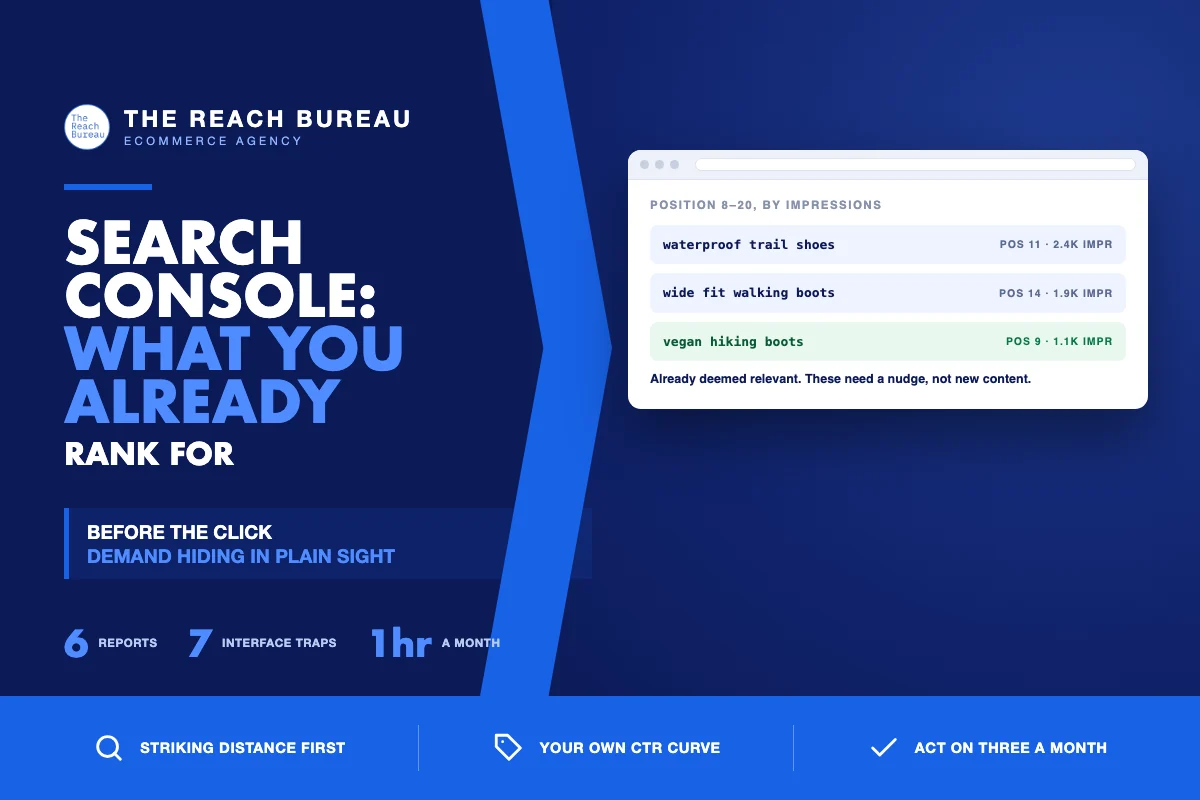
Search Console is the only source that tells you what people typed before they saw you. Analytics tells you what happened after the click; Search Console tells you what happened before it. This is about the before.
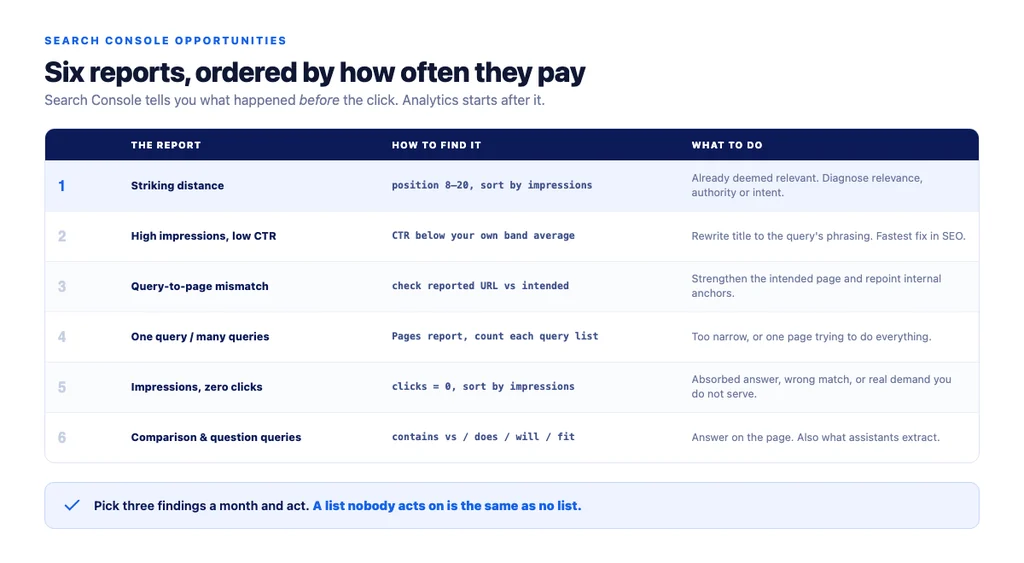
Almost every store has demand sitting in this data that nobody has looked at, and it is cheaper to capture than anything requiring new content. The reports below are ordered by how often they produce something worth doing.
1. Striking distance — positions 8 to 20
Queries where you already rank on page one's edge or just past it. These pages are already deemed relevant; they need a nudge, not an invention.
How to find it: filter queries by average position between 8 and 20, sort by impressions descending. Anything with meaningful volume is a candidate.
What to do: find which page ranks, then decide whether the shortfall is relevance (query not properly addressed on the page), authority (page has no internal links pointing at it), or intent (wrong page type ranking for it entirely).
Why it is first: the shortest distance between effort and revenue on almost every store.
2. High impressions, low click-through rate
You appear and are not chosen. This is usually a title and snippet problem, and it is the fastest fix in SEO.
How to find it: queries with high impressions and CTR well below your own average for that position — not below a public benchmark, below *yours*.
What to do: rewrite the title to match the query's phrasing, and the meta description to answer the implied question. Check whether something above you is absorbing the click.
Caution: compare CTR only within similar positions. Low CTR at position 14 is normal.
3. Query-to-page mismatch
The wrong page of yours ranks for a query. A blog article ranking for a buying term is money being left on the table; a category page ranking for a question is a conversion problem.
How to find it: for your top commercial queries, check which URL Search Console reports. Compare with the page you intended.
What to do: strengthen the intended page, add internal links to it with the right anchor, and reduce the accidental page's targeting of that term. Do not delete anything on this evidence alone.
4. Pages with one query, and pages with many
Two opposite problems, both visible here.
A page ranking for only one query is usually too narrow, or is one of several pages splitting the same topic. Candidate for consolidation of *effort*, not necessarily of pages.
A page ranking for dozens of loosely related queries is doing too much. It may be outranked on each individual term by a page that focuses.
How to find it: the Pages report, then open each page's query list and count.
5. Queries with impressions and zero clicks
Sometimes an absorbed answer. Sometimes a query you are wrongly matched to. Sometimes a genuine gap — you appear for something you do not actually cover.
How to find it: filter for clicks = 0, sort by impressions.
What to do: read the query and decide which of the three it is. The third case is the interesting one: real demand you appear for and do not serve, which is a strong candidate for a new page — with a keyword tool confirming volume before you build it.
6. Comparison and question queries on commercial pages
Shoppers asking "X vs Y" or "does X fit Y" and landing on a product page that does not answer it. Every one of these is a conversion improvement disguised as an SEO finding.
How to find it: filter queries containing "vs", "or", "does", "will", "compatible", "fit".
What to do: answer them on the page. This is also exactly the content that gets extracted by AI assistants, so the same work pays twice.
The traps in the interface
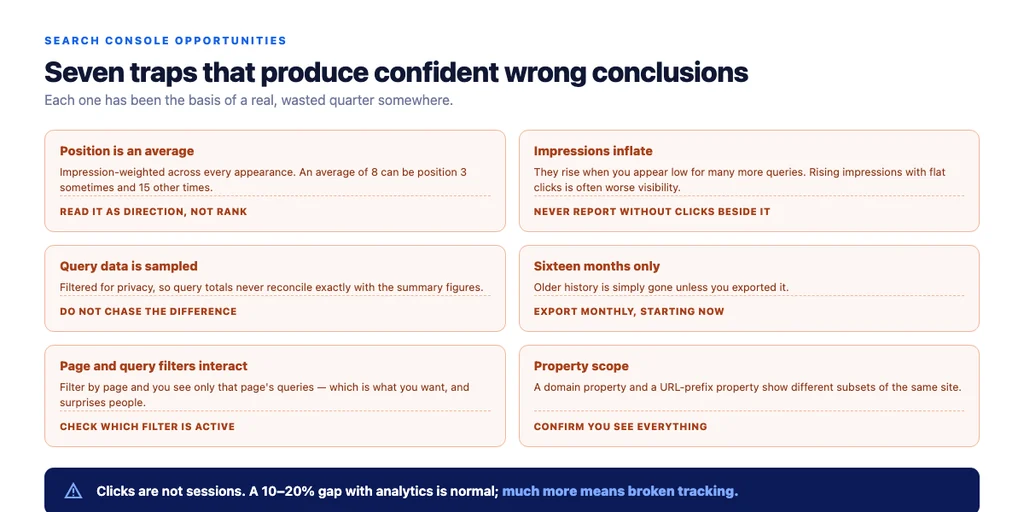
- Position is an average, weighted across impressions. An average of 8 can mean position 3 sometimes and 15 other times.
- Impressions inflate when you appear low for many queries. Rising impressions with flat clicks is often worse visibility, not better.
- Query data is sampled and filtered for privacy; the totals will not reconcile exactly with the summary.
- Sixteen months only. Export regularly if you want longer history.
- Page and query filters interact — filtering by page shows only queries for that page, which is what you want and often surprises people.
- Property scope matters. A domain property and a URL-prefix property show different things; make sure you are looking at everything.
- Clicks are not sessions. The gap with analytics is normal at 10–20% and meaningful above that. Investigate tracking before traffic.
A monthly routine that takes an hour
1. Striking distance list — top 20 by impressions, positions 8–20. 2. Low-CTR list — top 20 by impressions where CTR trails your own average for that position band. 3. Mismatch check on your ten most commercial queries. 4. Zero-click queries with high impressions, read and classified. 5. Comparison and question queries, added to a list for the product team. 6. Coverage report for new error types. 7. Export the raw data so you keep history beyond sixteen months.
Then pick the top three findings and act on them. A list nobody acts on is the same as no list.
The checklist
- Striking-distance queries reviewed monthly
- CTR compared against your own average for the same position band
- Query-to-page mismatch checked on top commercial queries
- Pages ranking for a single query identified
- Pages ranking for dozens of loose queries identified
- Zero-click high-impression queries read and classified
- Comparison and question queries collected for product pages
- Position understood as an impression-weighted average
- Impression rises checked against clicks before celebrating
- Data exported monthly for history beyond 16 months
- Property scope confirmed to cover the whole site
- Clicks-versus-sessions gap monitored for tracking faults
- Three findings actioned each month, not just listed
Sources
- Google Search Console Help — Google
- Performance Report in Search Console — Google
- SEO Best Practices for Ecommerce Sites — Google Search Central
- Google Search Essentials — Google Search Central
- Creating Helpful, Reliable, People-First Content — Google Search Central
Frequently Asked Questions
Want this run against your store? Book a call with The Reach Bureau.