Most technical SEO checklists are written for auditing a site that already exists. That is the expensive moment to use one.
On a new build, the same items cost a fraction to implement and several of them cannot be retrofitted cheaply at all. URL structure, template markup and the content model are decisions, not settings — change them later and you are running redirects, re-indexing, and a recovery period instead of shipping.
So this checklist is ordered by when the decision has to be made, rather than by category. Three phases: before design, before launch, and week one.
Phase 1 — before anyone opens a design tool
These are architecture decisions. Making them after the design is agreed means redoing work.
URL structure. Decide the pattern for products, categories, subcategories and blog content, and write it down. Short, readable, stable. Avoid dates in blog URLs, avoid the category in the product URL unless you are certain it will never change.
Template inventory. List every template type the site needs: home, category, subcategory, product, blog index, blog post, and the utility pages. Each needs a title pattern, a heading structure, and a decision about what markup it carries.
Content model. How products relate to categories, whether variants are separate products, where attributes live. This decides whether faceted navigation is manageable later.
Query assignment. Which page type owns which kind of query. Broad category terms belong to category pages; product-level terms to product pages; research questions to guides. Deciding this once prevents the cannibalization that takes months to unpick.
Redirect map, if replatforming. Every existing URL either survives or points at its closest equivalent. This is built before the new site is finished, not during launch week.
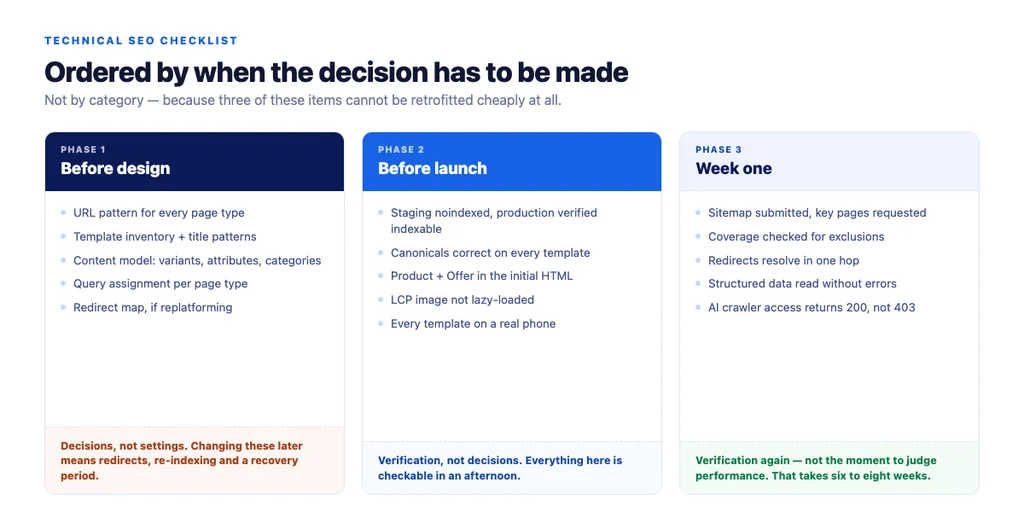
Phase 2 — before launch
Verification, not decisions. Everything here is checkable.
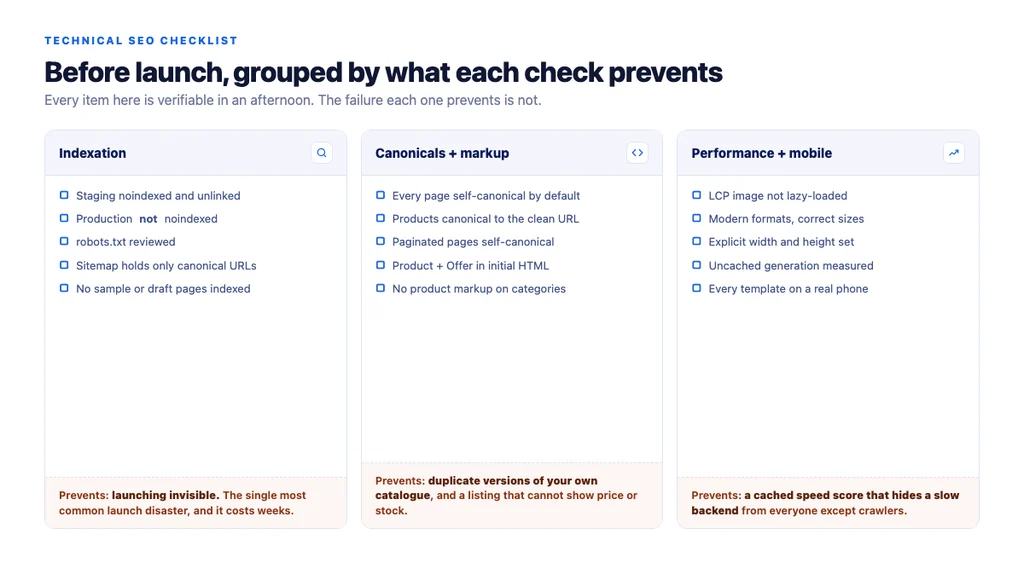
Indexation controls
- Staging environment is
noindexand not linked from anywhere public - Production is *not*
noindex— check this twice; it is the single most common launch disaster robots.txtallows what should be crawled and blocks only what genuinely should not- XML sitemap generated, submitted, and containing only canonical indexable URLs
- No junk in the index: sample pages, draft pages, test products
Canonicals
- Every page self-canonical unless deliberately pointing elsewhere
- Product pages canonical to the clean product URL, not a category-scoped variant
- Filtered and sorted views canonical to their parent
- Paginated pages self-canonical, not pointing at page one
Structured data
ProductandOfferon product pages with price and availability- Markup present in the initial HTML, verified as the crawler receives it rather than as the browser renders it
BreadcrumbListon templates that have a hierarchy- Return and shipping markup implemented if you can support them
- No product markup on category pages — they are not eligible for product rich results
Titles and metadata
- Title pattern per template, not a single global template
- One
<h1>per page, matching what the page is about - Meta descriptions written for the pages that matter; templated for the tail
- Open Graph and Twitter tags for anything shareable
Performance
- The main product image and first row of a category grid are *not* lazy-loaded — they are usually the Largest Contentful Paint element
- Modern image formats at correctly sized variants
- Explicit width and height on images so layout does not shift
- Uncached page generation time measured, not just cached response time
Mobile
- Every template checked on a real phone, not just a resized browser
- Tap targets, filter UI and checkout usable one-handed
Phase 3 — week one after launch
Day one
- Confirm production is indexable — again
- Submit the sitemap in Search Console
- Request indexing for the homepage and a handful of key category pages
- Watch server logs for crawler activity and errors
Days two to seven
- Check Search Console coverage for unexpected exclusions
- Confirm redirects resolve in one hop, with no chains
- Look for 404s in logs and fix the ones that have inbound links
- Verify structured data is being read without errors
- Check Core Web Vitals field data as it starts to populate
The check nobody runs. Fetch your own pages using each AI crawler's user agent — GPTBot, OAI-SearchBot, ClaudeBot, PerplexityBot, Google-Extended — and confirm you get a 200 rather than a 403. CDN bot-management rules block these by default surprisingly often, and it is invisible from robots.txt.
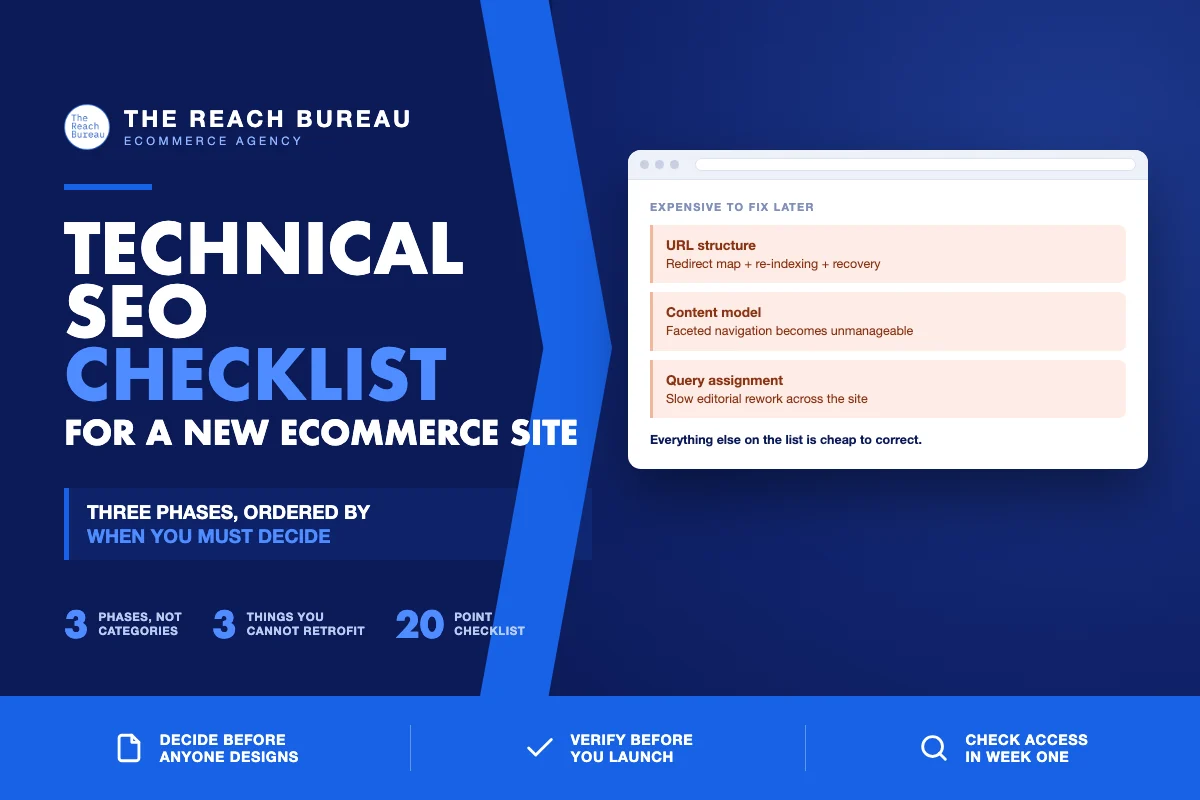
The three that are genuinely expensive to fix later
Worth calling out, because everything else on this list is cheap to correct.
URL structure. Changing it later means a full redirect map, re-indexing, and a recovery period. Decide once.
The content model. If variants, attributes and categories are modelled badly, faceted navigation becomes unmanageable and no amount of canonical tags fully rescues it.
Query assignment. Retrofitting this means rewriting titles, body copy and internal anchors across the site — the work is not technical, it is editorial, and it is slow.
The condensed checklist
- URL pattern decided and documented before design
- Template inventory with a title pattern per template
- Content model decided: variants, attributes, category relationships
- Query assignment agreed per page type
- Redirect map built if replatforming
- Staging noindexed; production verified indexable
robots.txtreviewed; sitemap contains only canonical indexable URLs- Every page self-canonical unless deliberately otherwise
- Paginated pages self-canonical
Product+Offermarkup in the initial HTMLBreadcrumbListon hierarchical templates- No product markup on category pages
- One
<h1>per page; per-template title patterns - LCP image not lazy-loaded
- Modern image formats, explicit dimensions
- Uncached generation time measured separately from cached
- Every template checked on a real phone
- Sitemap submitted; key pages indexing requested
- Redirects resolve in one hop
- AI crawler access verified with a real user-agent request
Sources
- Google Search Essentials — Google Search Central
- SEO Best Practices for Ecommerce Sites — Google Search Central
- Intro to Product Structured Data on Google — Google Search Central
- How To Add Merchant Listing Structured Data — Google Search Central
- Creating Helpful, Reliable, People-First Content — Google Search Central
Frequently Asked Questions
Want this run against your store? Book a call with The Reach Bureau.