Site architecture is the only SEO decision that constrains every other one.
Copy can be rewritten. Markup can be added. Speed can be improved. But the shape of your catalogue — how categories nest, how products relate to them, how deep a page sits from the homepage — determines what those later fixes are even capable of achieving. Get it wrong and you spend years working around it with canonical tags and internal links.
This is what to decide, and in what order.
Depth: how far pages sit from the homepage
The practical rule is that every page a customer might land on should be reachable in three clicks from the homepage. Not because three is magic, but because depth correlates with how much internal authority reaches a page and how reliably it gets crawled.
A workable shape:
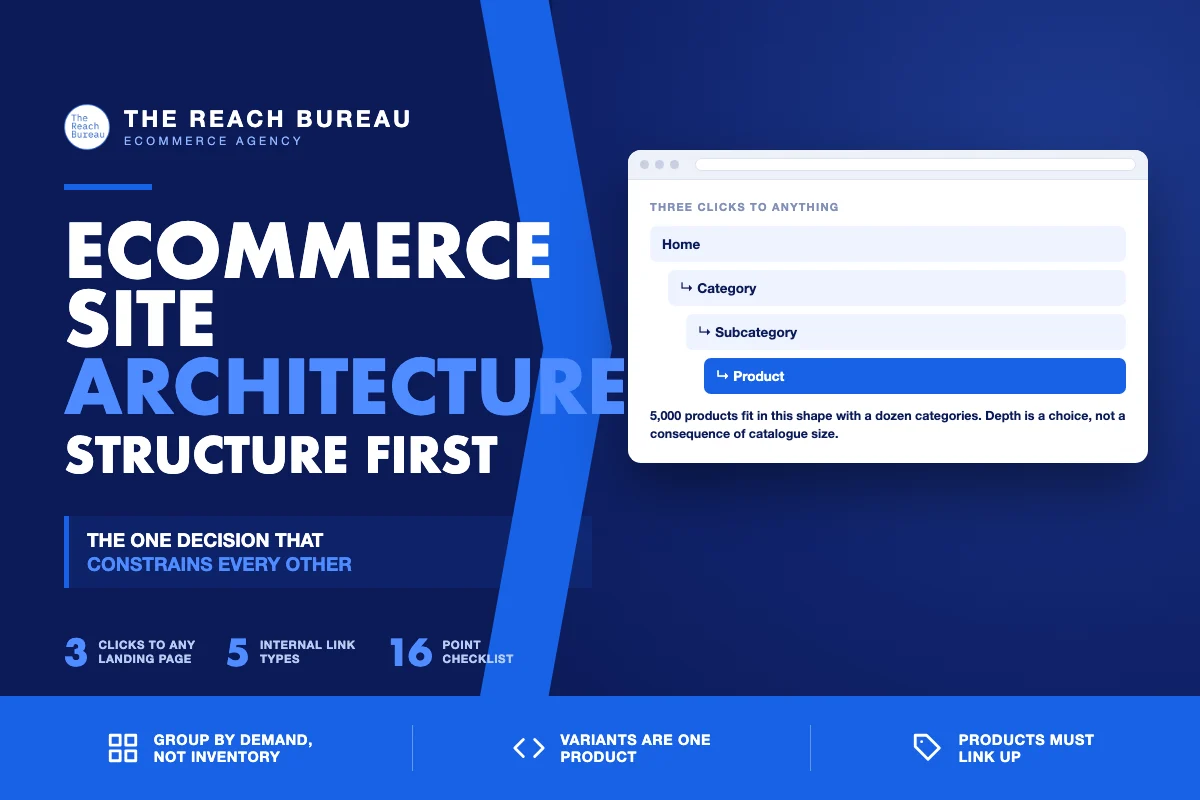
“ Home → Category → Subcategory → Product “
That is three clicks to any product. A store with 5,000 products can maintain it with roughly a dozen categories and a handful of subcategories each.
Where it breaks: stores that mirror an internal or supplier taxonomy. Five levels of nesting exists because the warehouse thinks that way, not because a shopper does.
Also breaks: stores where products are only reachable through pagination. If a product sits on page 14 of a category with no other route, it is effectively fifteen clicks deep whatever the navigation implies.

Grouping categories around demand, not inventory
The most common architectural error is organising by how you buy rather than how customers search.
Organise by what people search. If shoppers search "waterproof jackets" and you have organised by supplier brand, your architecture is fighting demand. Category names should be the words customers use.
Attributes that people search for deserve pages. "Waterproof", "wide fit", "organic" — if there is real demand, these are subcategories or indexable filtered views, not just filters.
Attributes nobody searches stay filters. Colour, size, price band. They serve navigation and should canonical to the parent.
Depth follows volume. A category with 400 products needs subcategories. One with 12 does not — subdividing it creates thin pages that compete with the parent.
The content model decides what is possible
This is the least visible decision and the most consequential.
Variants: one product or many? If size and colour variants are separate products, you have created near-duplicate pages competing with each other, and no amount of canonical work fully recovers it. Model them as variants of one product, and use ProductGroup markup accordingly.
Where do attributes live? Structured fields you can filter and mark up, or free text in a description? The former lets you build filtered views and populate a product feed. The latter means re-entering the same data three times.
Can a product live in several categories? Usually it should be able to — but then you must decide the canonical category so the product URL does not change based on the path taken to reach it.
Is there a level between category and product? For considered purchases, a "collection" or "range" level is often what shoppers actually search, and retrofitting it later means new URLs.
Internal linking is part of the architecture
Navigation is the largest single source of internal links on most stores, which makes it an architectural component rather than a design one.
- Main navigation should reach every top-level category. It carries the most authority.
- Category pages link down to key products in the descriptive copy, with product names as anchors — not only through the grid.
- Products link up to their category with the category name as the anchor. Themes rarely do this by default and it is the cheapest available signal.
- Related categories cross-link where a shopper might reasonably switch.
- Breadcrumbs on every page, with
BreadcrumbListmarkup, giving both users and crawlers the hierarchy explicitly.

Auditing an architecture you inherited
1. Crawl the site and record click depth per URL. Anything past three deserves a reason. 2. Count products per category. Categories with under ~10 products are candidates for merging; over ~200 for subdividing. 3. Check for orphans — indexable pages with no internal links pointing at them. 4. Map categories to search demand. Does each significant category name correspond to something people search? 5. Check the variant model. Are size and colour separate URLs competing with each other? 6. Check products link up. Does every product page link back to its category with a descriptive anchor?
What to fix and what to live with
Not everything is worth restructuring, because URL changes carry real cost.
Worth fixing now: missing up-links from products, orphan pages, categories with no descriptive copy, missing breadcrumbs. All cheap, none require URL changes.
Worth fixing carefully: variant models that create competing URLs, and categories organised against demand. Both usually mean URL changes, so treat them as a migration with a redirect map.
Worth living with: slightly deeper nesting than ideal, if the internal linking compensates. Depth measured in clicks matters less when a page is well linked from category copy and guides.
The checklist
- Every landing-worthy page reachable within three clicks
- No products reachable only via deep pagination
- Category names use the words customers search
- High-demand attributes given their own pages
- No-demand attributes left as filters, canonical to parent
- Categories with under ~10 products reviewed for merging
- Categories over ~200 products reviewed for subdividing
- Variants modelled as one product, not separate URLs
- Attributes stored as structured fields, not free text
- Canonical category decided for multi-category products
- Main navigation reaches every top-level category
- Category copy links down to key products with descriptive anchors
- Every product links up to its category
- Related categories cross-linked
- Breadcrumbs present with
BreadcrumbListmarkup - Orphan pages identified and linked or removed
Sources
- SEO Best Practices for Ecommerce Sites — Google Search Central
- Product Variant Structured Data (ProductGroup, Product) — Google Search Central
- Intro to Product Structured Data on Google — Google Search Central
- Google Search Essentials — Google Search Central
- Ecommerce Product Data and Content on Google — Google Search Central
Frequently Asked Questions
Want this run against your store? Book a call with The Reach Bureau.