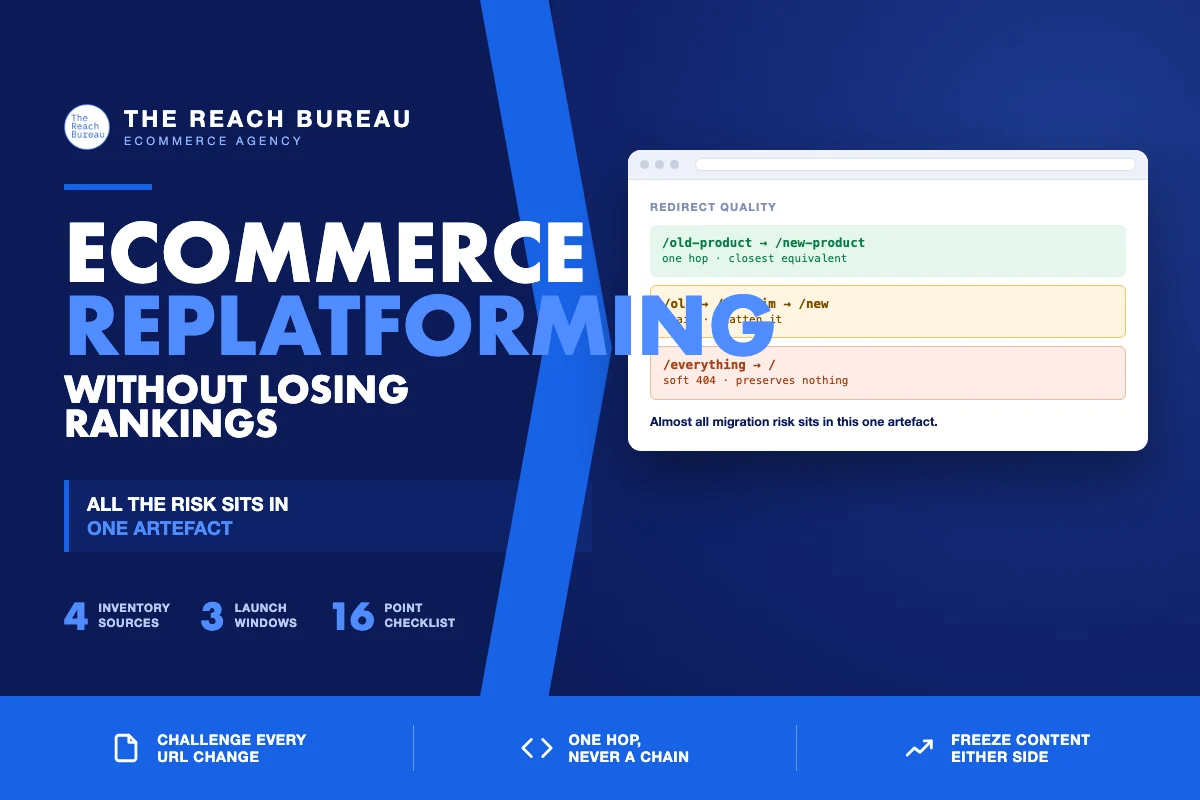
Replatforming is the highest-risk routine project in ecommerce, and almost all of the risk sits in one artefact: the redirect map.
Everything else about a migration is recoverable. A design decision can be revised, an integration can be fixed the week after, a slow page can be optimised. But if a thousand URLs change without redirects, you lose the accumulated authority of every one of them at the same moment, and there is no way to un-ring that bell except to rebuild it slowly.
The stores that migrate well are not the ones with the best new platform. They are the ones that treated URL preservation as the first requirement rather than a launch-week task.
Decide what actually needs to change
The first question is whether the URLs need to change at all.
Sometimes they genuinely do — the new platform enforces a structure, or the old one was broken. Often they do not, and the change happens because nobody insisted otherwise. Every URL you preserve is a redirect you do not have to build, a signal you do not have to pass through a hop, and a risk you do not take.
Keep unchanged wherever the platform allows it. This is worth arguing for, and worth paying a developer to make possible.
Where change is unavoidable, change once. A migration followed three months later by a URL restructure is two recovery periods instead of one.
Building the redirect map
This is the work. Start it before the new site is finished.
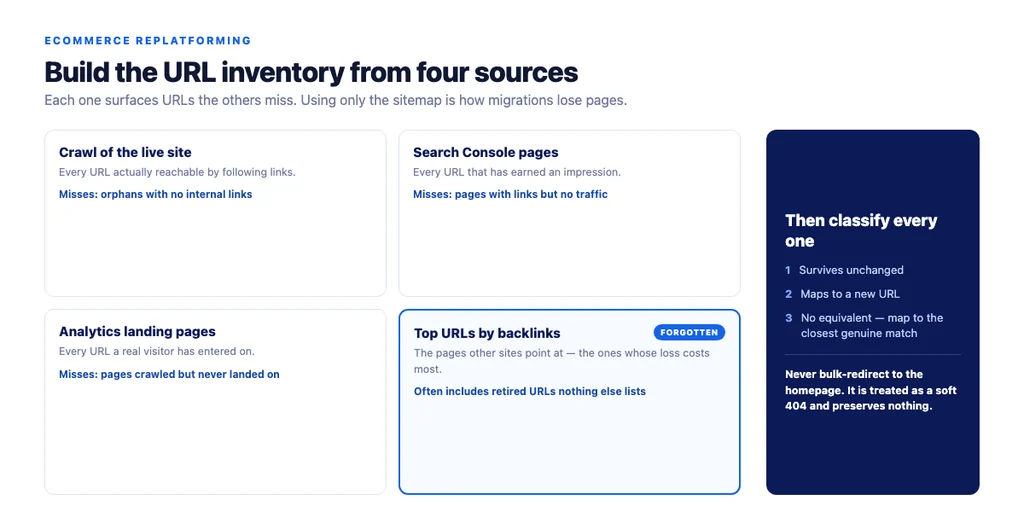
1. Inventory every URL that exists. Not just the sitemap — crawl the live site, export Search Console pages, export analytics landing pages, and pull your top URLs by backlinks. Each source surfaces URLs the others miss, and the backlink list is the one people forget. 2. Classify each one. Survives unchanged, maps to a new URL, or has no equivalent. 3. Map the third category deliberately. Closest genuine equivalent — a discontinued product to its replacement, a retired category to its parent. Never map everything to the homepage; a bulk homepage redirect is treated as a soft 404 and preserves nothing. 4. Check every mapping resolves in one hop. Chains dilute and slow down. If the old site already had redirects, you now have chains to flatten. 5. Test the map against the staging site before launch, not after.
What to freeze before launch
A migration is hard enough to diagnose without other variables moving.
- Freeze content changes two weeks before and two weeks after. If traffic moves, you need to know it was the migration.
- Do not redesign and replatform simultaneously unless you accept you will not know which caused what.
- Keep the same content on migrated pages. Rewriting during a migration is a common instinct and it destroys your ability to attribute anything.
- Hold off on new sections. They can launch a month later.
Launch day
Run in this order.
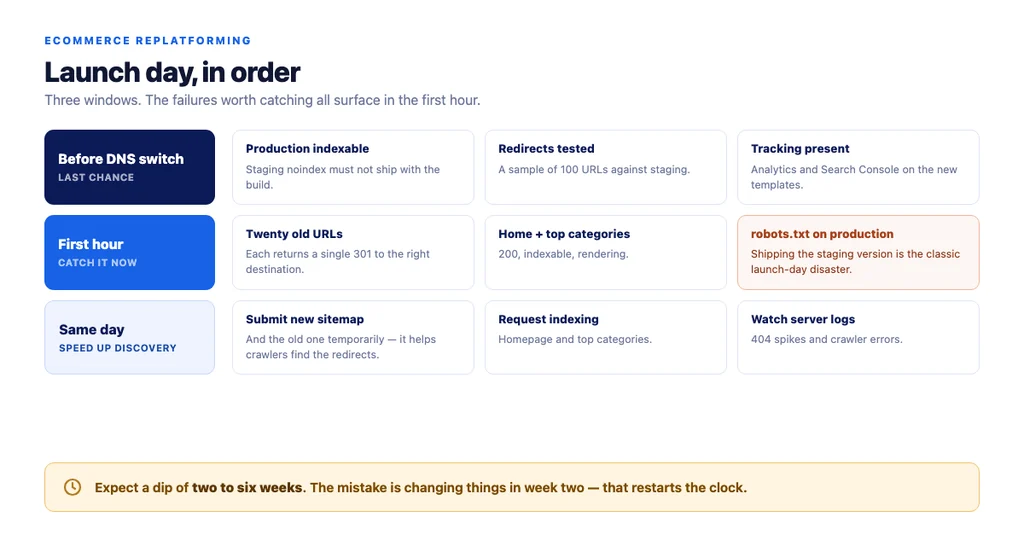
Before switching DNS
- Staging is
noindex; confirm the new production build is *not* - Redirect rules deployed and tested against a sample of a hundred URLs
- XML sitemap generated for the new structure
- Analytics and Search Console tracking present on the new templates
Within the first hour
- Fetch twenty old URLs and confirm each returns a single 301 to the right destination
- Confirm the homepage and top categories return 200 and are indexable
- Check
robots.txton production — the most common launch-day mistake is shipping the staging version
Same day
- Submit the new sitemap in Search Console
- Submit the old sitemap too, temporarily — it helps crawlers discover the redirects faster
- Request indexing for the homepage and top categories
- Watch server logs for 404 spikes and crawler errors
The first month
Expect a dip. Even a well-executed migration usually sees a temporary decline while search engines re-crawl and re-evaluate. Two to six weeks is normal. The mistake is panicking in week two and changing things, which restarts the clock.
What to watch
- 404s in server logs, prioritised by whether they have inbound links
- Search Console coverage for unexpected exclusions
- Redirect chains that appeared after launch
- Index count against your sitemap count
- Rankings for your top twenty terms, tracked individually rather than as an average
When to worry. A dip that keeps deepening past week six, or a large share of old URLs returning 404 rather than 301, means something is wrong with the map rather than with the timeline.
What people get wrong
- Building the redirect map during launch week. It is the longest task and it gets compressed into the least available time.
- Mapping everything to the homepage. Preserves nothing, and is treated as a soft 404.
- Forgetting non-page URLs — images, PDFs, feeds. If they have links, they need redirects too.
- Leaving the old site accessible on a subdomain or staging URL, where it competes with the new one.
- Not checking mobile. Templates change during migrations and mobile is where the traffic is.
- Rewriting content at the same time, so no result can be attributed to anything.
The replatforming checklist
- URL changes challenged: keep unchanged wherever the platform allows
- URL inventory built from crawl, Search Console, analytics *and* backlink data
- Every URL classified: survives, maps, or no equivalent
- No-equivalent URLs mapped to closest genuine match, never bulk to homepage
- Every redirect resolves in one hop; existing chains flattened
- Redirect map tested against staging before launch
- Content frozen two weeks either side of launch
- Redesign not bundled with replatform
- Production verified indexable; staging robots.txt not shipped
- New sitemap submitted; old sitemap submitted temporarily
- Twenty old URLs spot-checked for single-hop 301s within the first hour
- Analytics and Search Console present on new templates
- Non-page URLs redirected: images, PDFs, feeds
- Old site made inaccessible on any other hostname
- Server logs watched for 404 spikes in week one
- Top twenty terms tracked individually, not as an average
Sources
- Google Search Essentials — Google Search Central
- SEO Best Practices for Ecommerce Sites — Google Search Central
- Intro to Product Structured Data on Google — Google Search Central
- Ecommerce Product Data and Content on Google — Google Search Central
- Creating Helpful, Reliable, People-First Content — Google Search Central
Frequently Asked Questions
Want this run against your store? Book a call with The Reach Bureau.