
# How to Optimize Category Pages: A Prioritisation Workflow
A store with two hundred categories cannot optimise them all, and treating them as equal is why category work stalls. This is a workflow for deciding which ones to touch, in what order, and what to change on each — rather than a list of things a category page should have.
For the content standards themselves, see ecommerce category page best practices. This piece is about choosing.
Step one: build one table
One row per category, six columns: organic sessions, revenue, average position for its main query, search volume for that query, product count, and whether it currently has any unique content.
Everything below is a read of that table. The point of building it once is that it turns an unbounded task into a ranked list of a dozen jobs.
Step two: find the four patterns
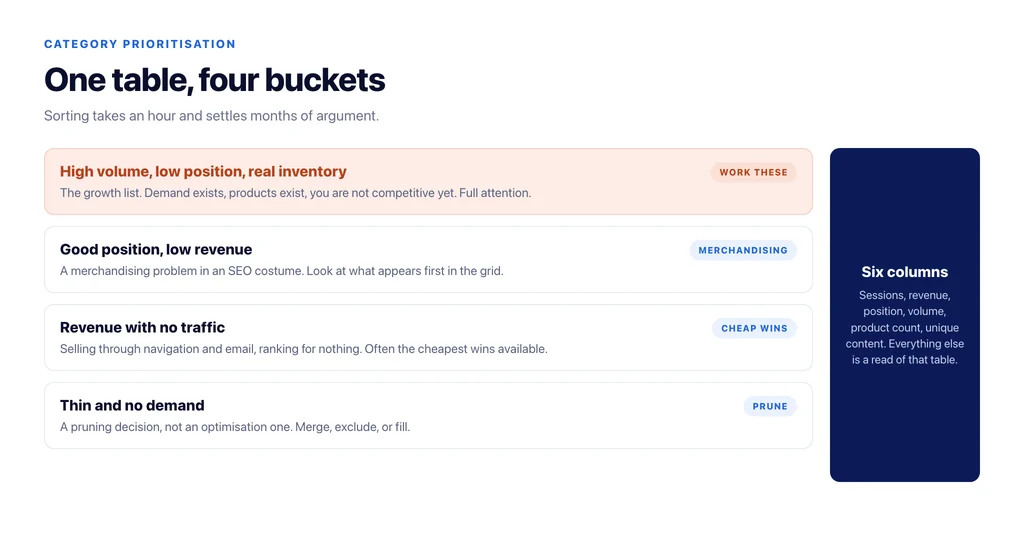
High volume, low position, real inventory. The growth list. Demand exists, you have products, and you are not competitive yet. These get full attention: content, internal links, filters, the lot.
Good position, low revenue. A conversion or merchandising problem wearing an SEO costume. The page ranks and shoppers do not proceed. Look at the grid: wrong products first, no price context, filters that do not match how people choose.
Revenue with no traffic. Categories carrying sales from navigation and email while ranking for nothing. Often the cheapest wins available, because the commercial validation is already there and only the page is missing.
Thin and irrelevant. Few products, no demand. These are a pruning decision, not an optimisation one: merge, exclude from the index, or fill.
Sorting the table into those four buckets takes an hour and settles months of prioritisation arguments.
Step three: work the growth list, in this order
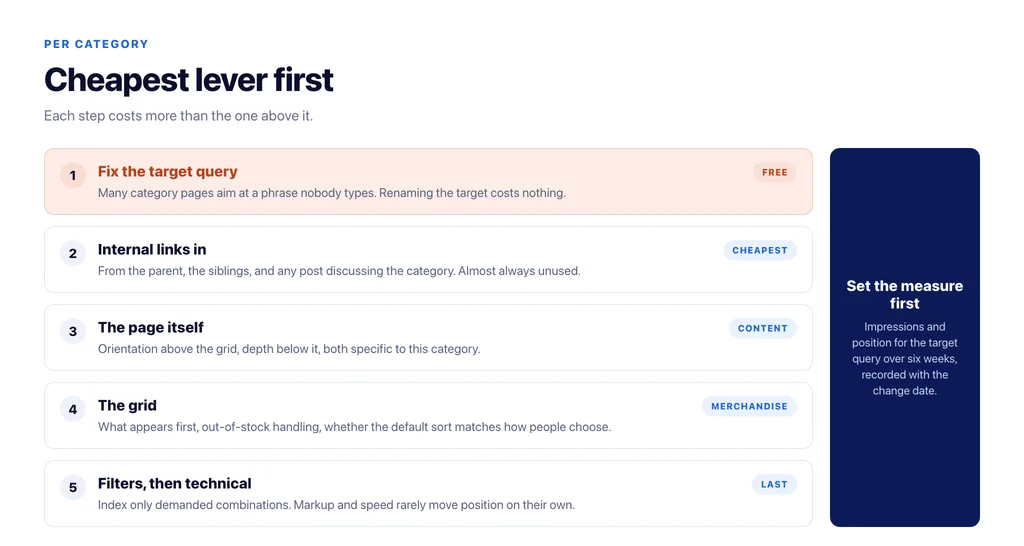
For each category on the growth list, in this sequence, because each step is cheaper than the next:
Fix the target query first — many category pages are aimed at a phrase nobody uses, and renaming the target costs nothing.
Then internal links: from the parent category, from sibling categories, and from any blog post that discusses this category. This is the cheapest ranking lever and it is almost always unused.
Then the page itself: orientation above the grid, depth below it, both specific to this category.
Then the grid: what appears first, whether out-of-stock items are pushed down, whether the default sort matches how people in this category choose.
Then filters: which combinations have real demand and deserve their own indexable page, and which should be closed to crawlers.
Only then technical work — markup, pagination, speed — because it rarely changes position on its own.
Step four: decide what proves it worked
Set the measure before the change, because afterwards everybody argues about attribution.
For the growth list, impressions and average position for the target query over six weeks. For the position-without-revenue group, add-to-cart rate from the category page. For the revenue-without-traffic group, impressions, since the page is starting from nothing.
Record the date of the change in the same table. A category table with a change log is the difference between knowing what works on your store and repeating what worked on somebody else’s.
What not to do
Do not add the same paragraph of text to every category. It is the fastest way to make two hundred pages look templated, and it moves nothing.
Do not optimise categories with no inventory to support them. A category page that ranks and shows four products converts nobody and teaches shoppers not to trust the navigation.
Do not chase head-term categories on a young domain while the specific, lower-competition ones are unfinished. The specific ones are winnable now and they build what the head term will need later.
The one report worth running before you start
Almost every store has categories ranking for queries nobody planned, and they are the fastest wins on the list.
Pull the queries where a category page already receives impressions but sits below the top ten, then read them for intent. You will typically find three groups: queries the page could win with a small content and internal-link change; queries a different page should own, which is a mapping problem rather than an optimisation one; and queries that reveal a category you do not have but the catalogue could support.
The third group is the valuable one, and it never appears in keyword research done from scratch, because it comes from demand the store is already brushing against.
Work the first group immediately, resolve the second by deciding which page owns the query, and put the third in front of whoever decides the catalogue. That report takes twenty minutes and usually reorders the priority list built from the table above.
The workflow, in short
- One table, one row per category, six columns.
- Sort into growth, position-without-revenue, revenue-without-traffic, and prune.
- Work the growth list in cheapest-first order: query, internal links, content, grid, filters, technical.
- Handle the other three groups with the intervention that fits, not with content by default.
- Set the measure before the change and record the date.
- Re-read the table quarterly rather than continuously.
Sources
- Search Console Performance report — Google Search Console Help
- Crawling and managing faceted navigation — Google Search Central
- SEO best practices for ecommerce sites — Google Search Central
- Carousel (ItemList) structured data — Google Search Central
Frequently Asked Questions
Want this run against your store? Book a call with The Reach Bureau.