An AI Overview does not change how your page is judged. It changes what happens after it is judged — whether the shopper still needs to click.
That distinction matters because most of the advice on this topic is really general SEO advice with "for AI" appended. The genuinely new problem is narrower: some queries you used to win now get answered before the click, and you need to know which ones, what it costs, and what is worth doing.
What actually changed
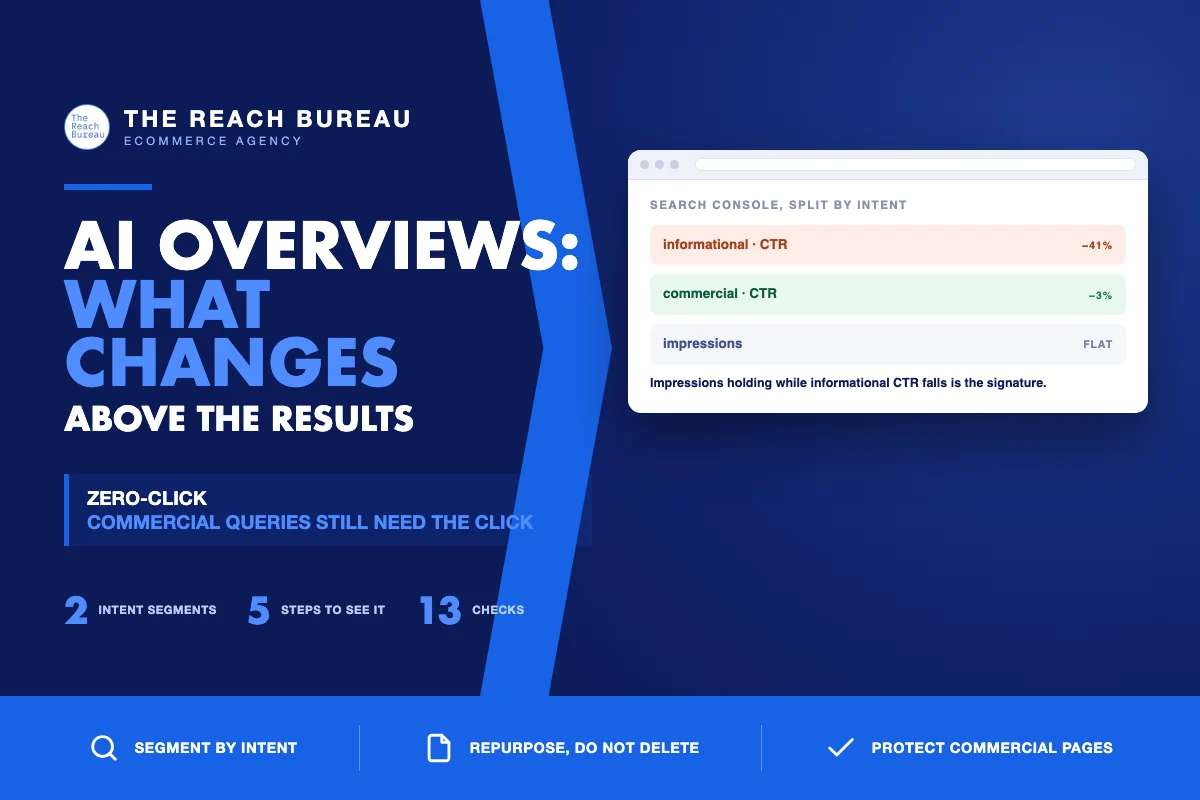
Impressions stay, clicks fall — on some queries. When an Overview answers the question completely, the click was never necessary. Search Console shows the impression; the visit does not arrive.
Being cited is the new prize on those queries. A citation puts your name in front of someone who did not click, which is worth something for brand, and sometimes produces a later branded search.
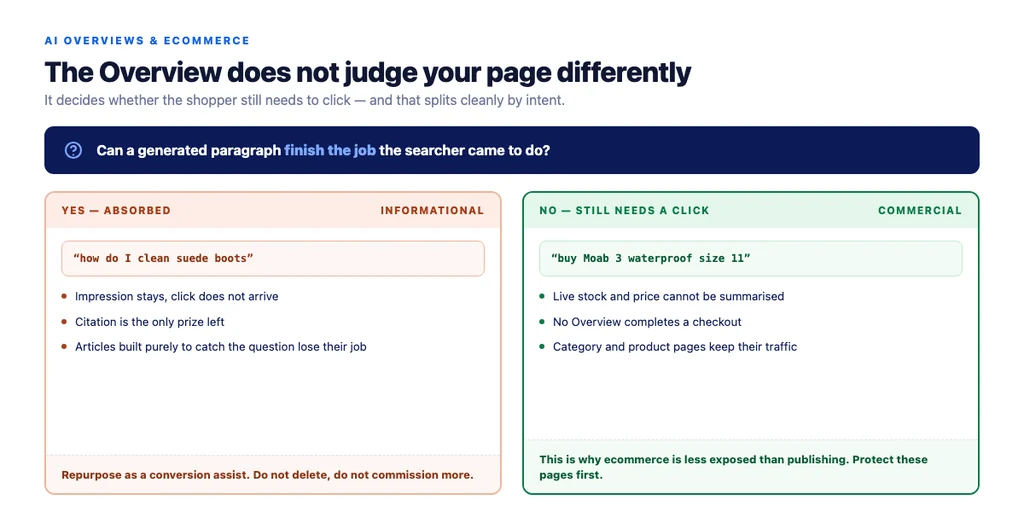
Commercial queries are affected least. Someone who wants to buy a specific product still needs a page with a price, stock and a checkout. An Overview cannot complete a transaction. This is the single most reassuring fact in the whole topic, and it is why ecommerce is less exposed than publishing.
Informational queries are affected most. "How do I clean suede boots" is exactly the kind of question a generated answer handles well. If your blog exists to attract that traffic, that traffic is at risk.
How to see it in your own data
Do this before deciding anything, because the size of the problem varies enormously by catalogue.
1. Segment Search Console by intent. Split your queries into commercial ("buy", product names, category terms) and informational (questions, "how to", "best way to"). 2. Compare click-through rate over the last year within each segment. A fall concentrated in the informational segment, with impressions holding, is the signature of answers being absorbed. 3. Check the pages, not just the queries. Which specific articles lost CTR? Usually a handful account for most of the loss. 4. Look at what those pages were for. If an article existed only to catch a question and then link into a category, and the question is now answered above the results, that article's job has changed. 5. Search the affected queries yourself. Is there an Overview? Are you cited in it? This takes minutes and is more reliable than any tool that claims to track it.
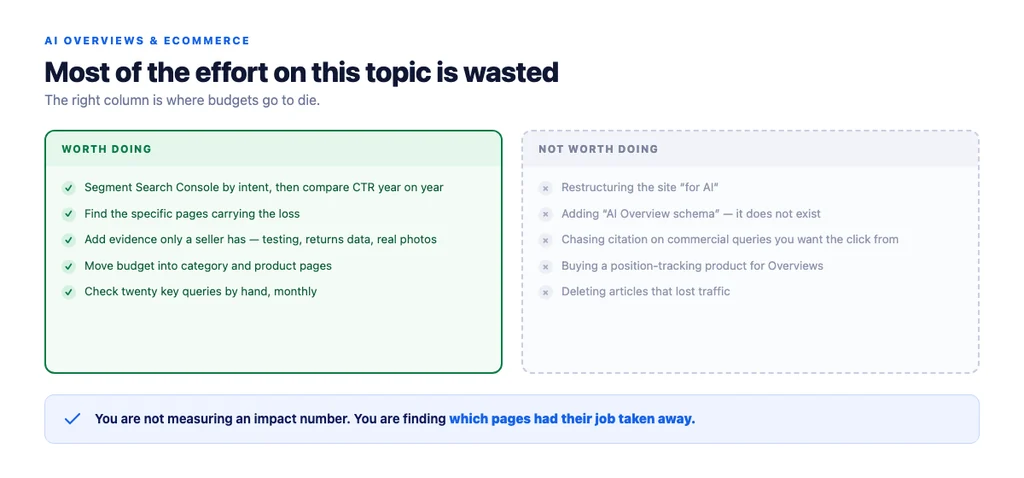
A useful reframe: you are not measuring "AI Overview impact" as a number. You are finding which of your pages had their job taken away.
What to do about the affected pages
Do not delete them. They may still earn links, still serve returning readers, and still pass internal link equity into commercial pages.
Change what they are for. An article that used to be a traffic entry point can become a conversion assist: keep the answer, but make the path to the relevant products explicit and useful rather than a footnote.
Add the part an Overview cannot cover. Your own testing, your returns data, photographs of the actual product, a comparison only a seller could make. A generated summary can restate general knowledge; it cannot contain your evidence.
Stop commissioning more of the same. If a topic is fully answerable in three sentences, a 1,500-word article on it is no longer a sound investment. Put that budget into category and product pages, which are the pages Overviews cannot replace.
Structure for citation on the ones worth keeping. A self-contained paragraph that answers the question completely is what gets pulled. Burying the answer three scrolls down helps nobody.
What not to change
This is where most of the wasted effort goes.
- Do not restructure your site for this. Crawlability, architecture and speed matter for the same reasons they always did.
- Do not add markup that does not exist — there is no "AI Overview schema".
- Do not chase citation on commercial queries. They are the queries where the click still happens; you want the click, not the mention.
- Do not buy a tracking product expecting a reliable position metric. Overview presence varies by query, location, device and session. Manual spot-checks of your twenty most important queries, run monthly, are more honest and cost nothing.
- Do not assume the loss is permanent. Overview coverage has expanded and contracted repeatedly. Build for durable value, not for this quarter's layout.
The commercial-page checklist
The pages that still need a click deserve the attention. Make sure they are answerable in the way a machine can verify:
- Price and availability accurate in the page and in
Productstructured data. - Attributes complete — material, dimensions, compatibility, what is included. These are what a constraint-shaped question matches against.
- Delivery and returns stated plainly, not buried in a policy page.
- Specifications consistent with manufacturer and marketplace listings, because corroboration is cheap to check.
- One clear answer per question on the page, in a paragraph that stands alone.
None of that is new advice. It is, however, the advice that pays in an environment where informational traffic is less reliable.
The checklist
- Search Console queries segmented into commercial and informational
- Click-through rate compared year on year within each segment
- The specific pages carrying the loss identified
- Affected queries searched manually to confirm an Overview exists
- Citation presence checked by hand, not via a tracking product
- Absorbed articles repurposed as conversion assists rather than deleted
- First-hand evidence added to pages worth keeping
- Budget shifted from answerable-in-three-sentences topics to commercial pages
- Key answers written as self-contained paragraphs
Productdata accurate for price and availability- Attributes complete enough to match constraint questions
- Delivery and returns visible before checkout
- Twenty important queries on a monthly manual check
Sources
- SEO Best Practices for Ecommerce Sites — Google Search Central
- Creating Helpful, Reliable, People-First Content — Google Search Central
- Intro to Product Structured Data on Google — Google Search Central
- Google Search Essentials — Google Search Central
- Ecommerce Product Data and Content on Google — Google Search Central
Frequently Asked Questions
Want this run against your store? Book a call with The Reach Bureau.