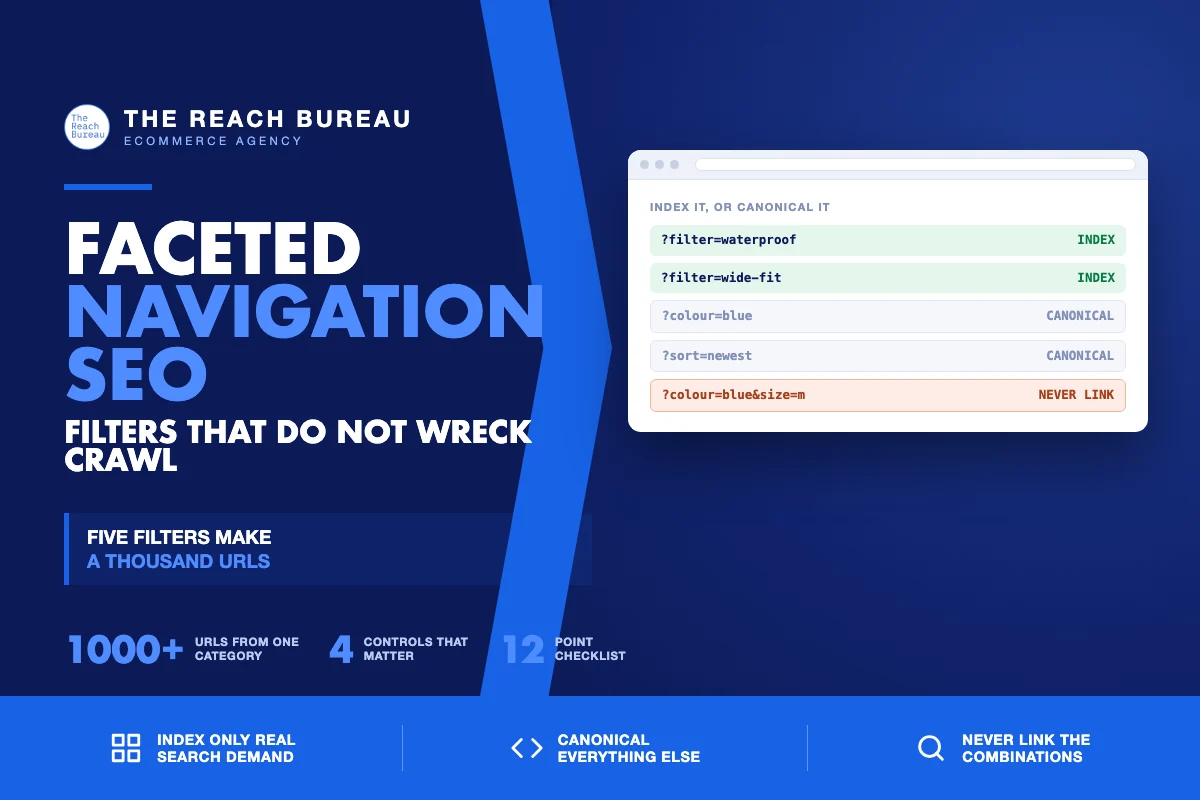
Filters are the best thing on a category page for shoppers and the most reliable way to wreck a store's crawlability.
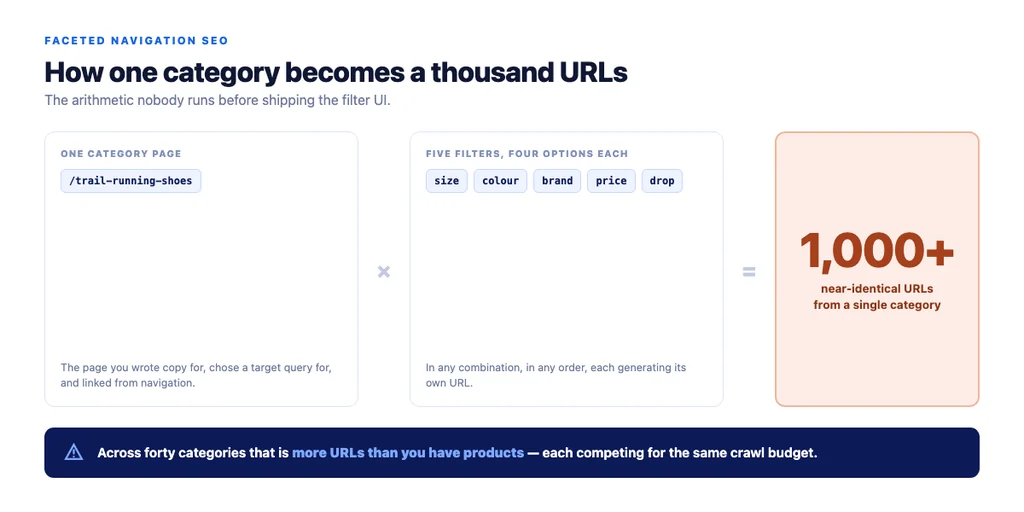
The arithmetic is unforgiving. Five filters with four options each, in any combination, produce over a thousand URLs from one category. Multiply by forty categories and a template nobody thought about generates more URLs than your catalogue has products — each one near-identical to the others, each one consuming crawl budget, and several competing with the category page you actually optimised.
The fix is not blocking filters. It is deciding, deliberately, which filtered views are landing pages and which are navigation.
Why faceted navigation causes problems
Three distinct failures, usually all present at once.
Crawl budget waste. Crawlers spend their allocation on filter permutations instead of your new products. On a large catalogue this delays discovery of the pages that matter.
Index bloat. Thousands of thin, near-duplicate URLs enter the index. None ranks, and collectively they dilute the signals of the pages that should.
Self-competition. A filtered view and its parent category target the same query. Google picks one, often the thinner filtered version, and the page you wrote copy for loses.
The decision: which filtered views deserve to be pages
This is the whole strategy, and it is a demand question rather than a technical one.
Index a filtered view when people search for it as a concept. "Waterproof running shoes" and "wide fit boots" are things shoppers type. Those views deserve a title, a line of unique copy, and a place in your internal link structure — they are subcategories in everything but name.
Keep everything else out. Colour, size, price band, sort order, and any combination of two or more filters. Nobody searches "blue medium running shoes under £80 sorted by newest," and a page serving that is navigation, not a landing page.
| Filter type | Handling | Why |
|---|---|---|
| High-demand attribute (waterproof, wide fit, organic) | Index, unique title + copy, linked from parent | Real search demand |
| Brand within a category | Index if the brand has demand in that category | Often genuinely searched |
| Size | Canonical to parent | No standalone demand |
| Colour | Canonical to parent | No standalone demand |
| Price band | Canonical to parent | Query intent is browsing, not landing |
| Sort order | Canonical to parent | Same content, different order |
| Two or more combined | Canonical to parent | Combinatorial explosion starts here |
The honest test for any filtered view: would you write a paragraph of unique copy for it? If not, it is not a landing page.
Implementing it
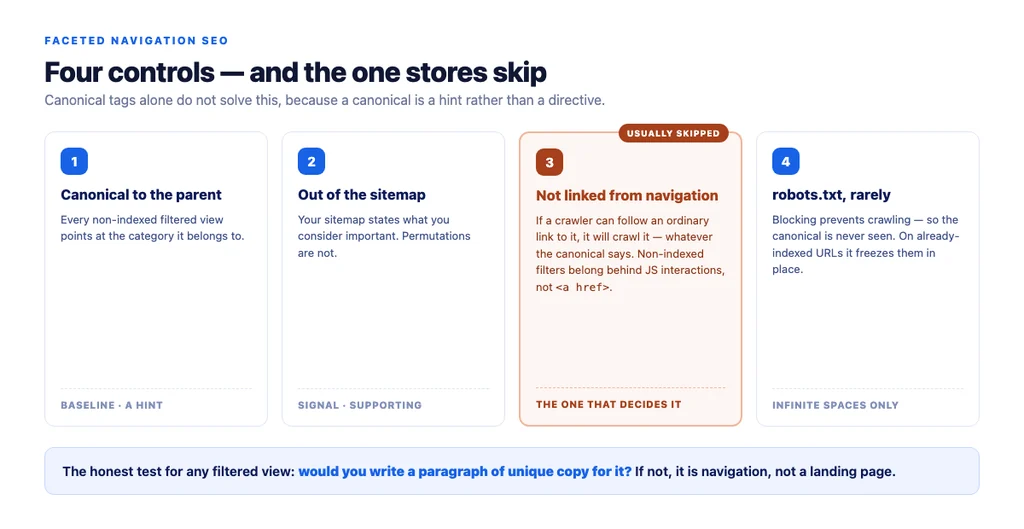
Canonical tags on non-indexed views pointing at the parent category. This is the baseline, and it is a hint rather than a directive — which is why the next two rules matter.
Keep them out of the sitemap. Your sitemap is a statement about what you consider important. Filter permutations are not.
Do not link to non-indexed combinations from navigation. This is the rule stores break. If a crawler can reach a URL through a link, it will crawl it regardless of the canonical. Filters that should not be indexed belong behind JavaScript interactions or POST requests, not <a href> links.
Use robots.txt carefully, and rarely. Blocking a parameter prevents crawling, which also prevents the crawler from seeing your canonical tag. For URLs already indexed, blocking them freezes them in the index rather than removing them. Canonical first; block only for genuinely infinite spaces.
Paginated pages stay indexable and self-canonical. Canonicalising page 2 to page 1 hides everything past the first screen from discovery.
Auditing what you already have
1. Crawl the site and count URLs by parameter. If parameter URLs outnumber products, you have the problem. 2. Compare indexed URLs to your sitemap. Anything indexed and not in the sitemap needs a decision. 3. Check which filtered views get impressions. Search Console will show you the ones with real demand — sometimes the data decides the question for you. 4. Look for self-competition. Search your category term and see which of your URLs Google shows. If it is a filtered view, your internal links are pointing the wrong way. 5. Check the links in your filter UI. Are non-indexed combinations reachable as ordinary links?
When demand tells you to promote a filter
Occasionally Search Console shows a filtered view earning impressions for a term you never targeted. That is demand telling you it should be a real subcategory.
Promote it properly: give it a permanent URL rather than a parameter, write copy, link it from the parent category's text and from the navigation, and treat it as a category from then on. A filter that earns traffic on its own has stopped being a filter.
The checklist
- Crawled the site and counted URLs generated by parameters
- Every filter type assigned: index or canonical to parent
- Indexed filtered views have unique titles
- Indexed filtered views have at least a line of unique copy
- Indexed filtered views linked from the parent category
- Colour, size, price and sort canonicalised to parent
- Any two-filter combination canonicalised to parent
- Non-indexed views absent from the sitemap
- Non-indexed views not reachable as ordinary links from navigation
robots.txtused only for genuinely infinite spaces, not for already-indexed URLs- Paginated pages indexable and self-canonical
- Search Console checked for filtered views earning unexpected impressions
Sources
- SEO Best Practices for Ecommerce Sites — Google Search Central
- Google Search Essentials — Google Search Central
- Intro to Product Structured Data on Google — Google Search Central
- Ecommerce Product Data and Content on Google — Google Search Central
- Creating Helpful, Reliable, People-First Content — Google Search Central
FAQs
Want this run against your store? Book a call with The Reach Bureau.