Most ecommerce content strategies are publishing calendars. That is the mistake.
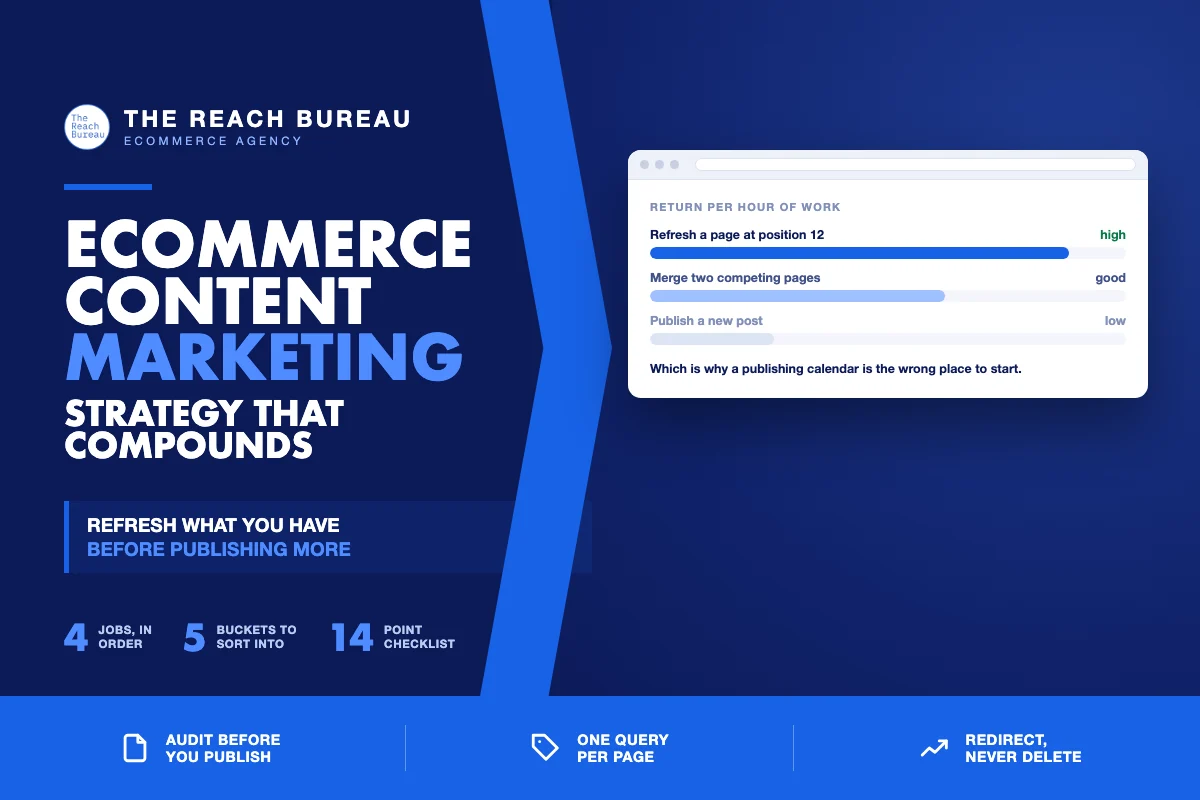
A calendar answers "what do we post next," which is the least important question a store with an existing blog can ask. The more valuable one is "what do we already have that is nearly working," because a post that ranks at position 14 is far closer to traffic than a post that does not exist.
Old content does not passively age. It actively drags: it competes with your newer pages for the same terms, it carries claims that are now wrong, and it tells search engines your site is not maintained. Fixing that is cheaper per unit of traffic than writing anything new — and it is where a content strategy should start.
The strategy in one shape
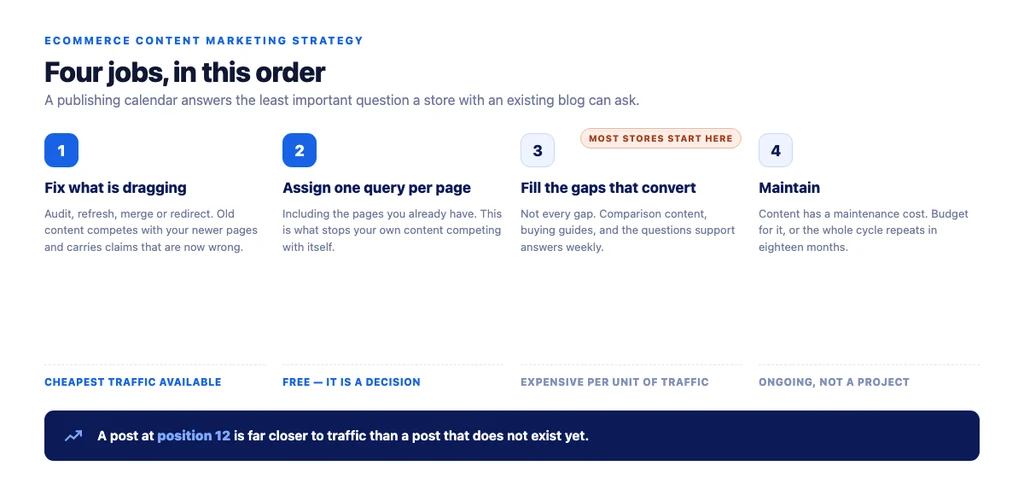
A working ecommerce content strategy has four jobs, in this order:
1. Fix what is dragging. Audit, refresh, merge or remove. Cheapest traffic available. 2. Assign one query per page. Including the pages you already have. This is what stops your own content competing with itself. 3. Fill the gaps that convert. Not every gap — the ones near a purchase decision. 4. Maintain. Content has a maintenance cost. Budget for it or the cycle repeats.
Most stores start at step three and wonder why traffic does not compound.
Auditing what you have
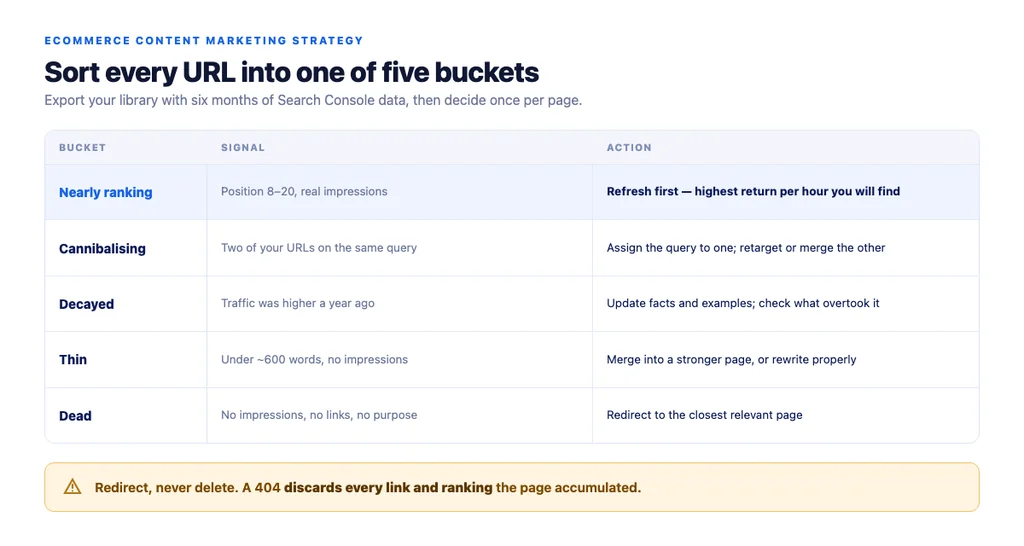
Export every URL with its Search Console data for the last six months, then sort into five buckets.
| Bucket | Signal | Action |
|---|---|---|
| Nearly ranking | Position 8–20, real impressions | Refresh first. Highest return per hour |
| Cannibalising | Two URLs on the same query | Assign the query to one; retarget or merge the other |
| Decayed | Traffic was higher a year ago | Update facts, dates, examples; check what overtook it |
| Thin | Under ~600 words, no impressions | Merge into a stronger page, or rewrite properly |
| Dead | No impressions, no links, no purpose | Redirect to the closest relevant page |
The nearly-ranking bucket is where to start every time. A post at position 12 that moves to 6 typically produces more traffic than three new posts, for a fraction of the effort.
What a refresh actually involves
"Refreshing" is not changing the date. Google's guidance on creating helpful, reliable, people-first content asks whether the content demonstrates real expertise and leaves the reader able to act — a timestamp change satisfies neither.
A real refresh:
- Re-checks every fact and figure. Anything that has changed since publication is now a liability, not just an inaccuracy.
- Compares against what currently ranks. What do the top results cover that you do not? That gap is the work.
- Answers the questions the page now attracts. Search Console shows the queries the page picks up; several are usually unanswered on the page.
- Rewrites the intro. It was written for a different moment.
- Fixes the internal links — both the ones on the page and the anchors pointing at it.
- Updates the title and meta description if the target query has shifted.
- Adds what was missing structurally: a table where there was prose, an FAQ, a diagram that carries the explanation.
Republish with a genuinely updated date only when the update is substantive. Doing it for cosmetic edits trains you to ignore your own signal.
Merging, and when not to
Merging is the highest-leverage move and the easiest to get wrong.
Merge when two or more pages target the same query, none ranks well, and neither has meaningful links. Combine into the strongest URL and redirect the others to it.
Do not merge when the pages serve genuinely different intent — a buying guide and a product page covering the same subject should both exist, targeting different queries and linking to each other.
Never delete instead of redirecting. A 404 discards every link and every ranking the page accumulated. Redirect to the closest relevant page; the parent category if nothing closer exists.
The decision that makes merging safe is deciding the target query per page first. Without that, merging is just consolidation by feel.
Where new content still belongs
Refreshing has a floor. Once the existing library is doing its job, the gaps worth filling are the ones near a purchase.
- Comparison content — "X versus Y," "best for [use case]." Close to the decision, and it links naturally to category and product pages.
- Buying guides for considered purchases. These rank for research queries and pass qualified traffic down to the pages that convert.
- Questions your support team answers repeatedly. Real demand, already validated by customers.
- Category-adjacent explainers that give your category pages something authoritative to link to.
What rarely earns its cost: industry news, trend roundups, and anything written because the calendar had a slot.
Measuring a content strategy properly
- Track per URL, not site-wide. Averages hide both the wins and the decay.
- Watch query count per page. A refreshed page starts appearing for phrasings nobody targeted — that broadening usually shows up before position moves.
- Keep a control group. Leave a comparable set untouched. Seasonality moves everything; the control separates your work from the season.
- Allow six to eight weeks. Reindexing and re-evaluation take time. Judging in week two tells you nothing.
- Measure assisted conversions, not just last click. Content sits early in the path and last-click attribution makes it look worthless.
The strategy checklist
- Full URL export with six months of Search Console data
- Every URL sorted into one of the five buckets
- Nearly-ranking pages queued first
- One target query assigned per page, including existing pages
- Cannibalising pairs identified and resolved
- Facts and figures re-verified on every refreshed page
- Refreshed pages compared against what currently ranks
- Unanswered queries from Search Console addressed on the page
- Internal links and inbound anchors updated
- Titles and meta descriptions revisited where the target shifted
- Merges redirected, never deleted
- New content limited to formats near a purchase decision
- Control group retained; results reviewed after six to eight weeks
- Ongoing maintenance budgeted, not treated as a one-off project
Sources
- Creating Helpful, Reliable, People-First Content — Google Search Central
- Google Search Essentials — Google Search Central
- SEO Best Practices for Ecommerce Sites — Google Search Central
- Spam Policies for Google Web Search — Google Search Central
- Ecommerce Product Data and Content on Google — Google Search Central
Frequently Asked Questions
Want this run against your store? Book a call with The Reach Bureau.