Category pages carry more search demand than product pages and get a fraction of the attention.
The reason is structural. A product page has an obvious owner — someone added the product, wrote something, moved on. A category page belongs to nobody. It is generated by the platform, filled with a product grid, and shipped with either no text at all or a block of keyword filler pushed to the bottom where no one reads it.
That is the opportunity. Category pages match the queries people actually search on the way to buying — "women's trail running shoes," not one specific model — and they are usually the weakest page type on the site.
Which queries a category page owns
The division of labour is the whole strategy, and getting it wrong creates the cannibalization that keeps both pages down.
| Query type | Example | Owner |
|---|---|---|
| Broad category | running shoes | Top-level category |
| Qualified category | women's trail running shoes | Subcategory or indexable filtered view |
| Attribute-led | waterproof running shoes | Subcategory or filtered view |
| Product-level | [brand] [model] | Product page |
| Research | how to choose trail running shoes | Buying guide, linking down |
Two rules follow.
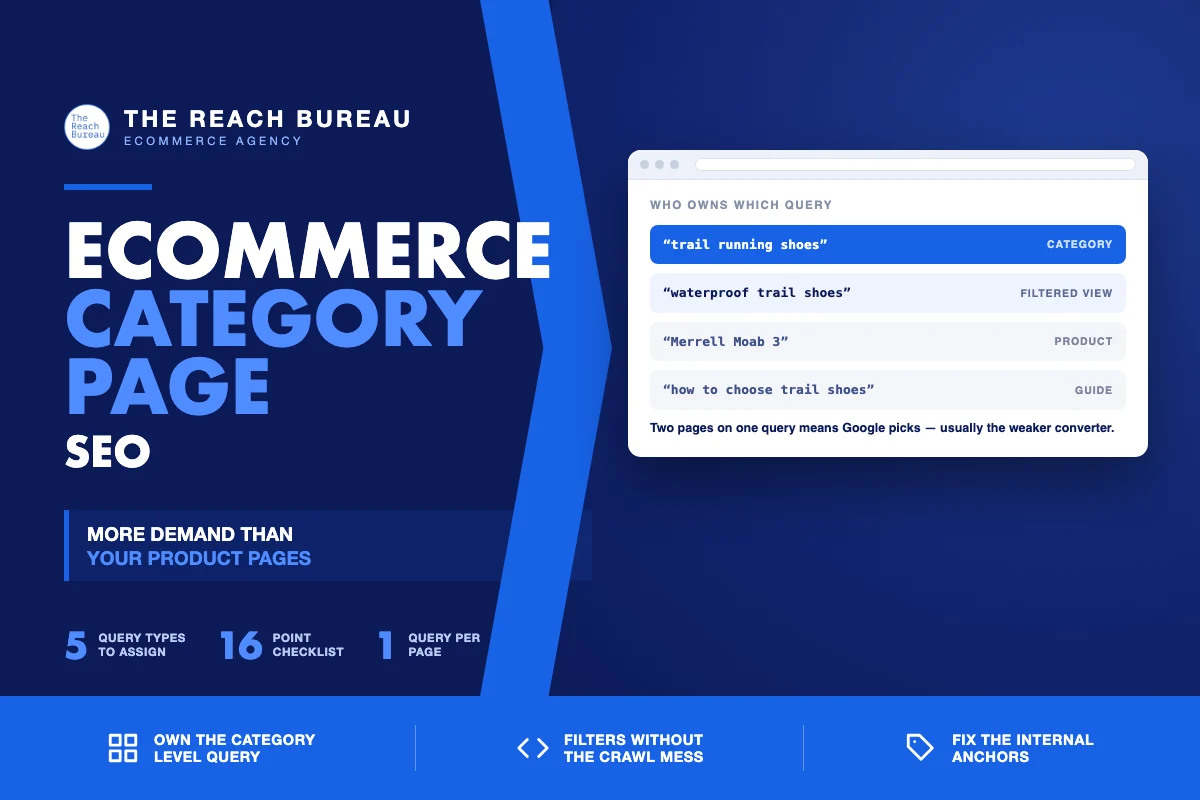
One query, one page. If your category page and a product page both target "trail running shoes," Google picks one — often the product page, which converts worse for a browsing query — and both underperform.
Qualified demand needs its own page. "Waterproof running shoes" has intent a generic category page only partly serves. If that demand is real, it deserves an indexable subcategory or filtered view, with its own title, its own copy, and its own place in the internal link structure.
Where the copy goes, and what it says
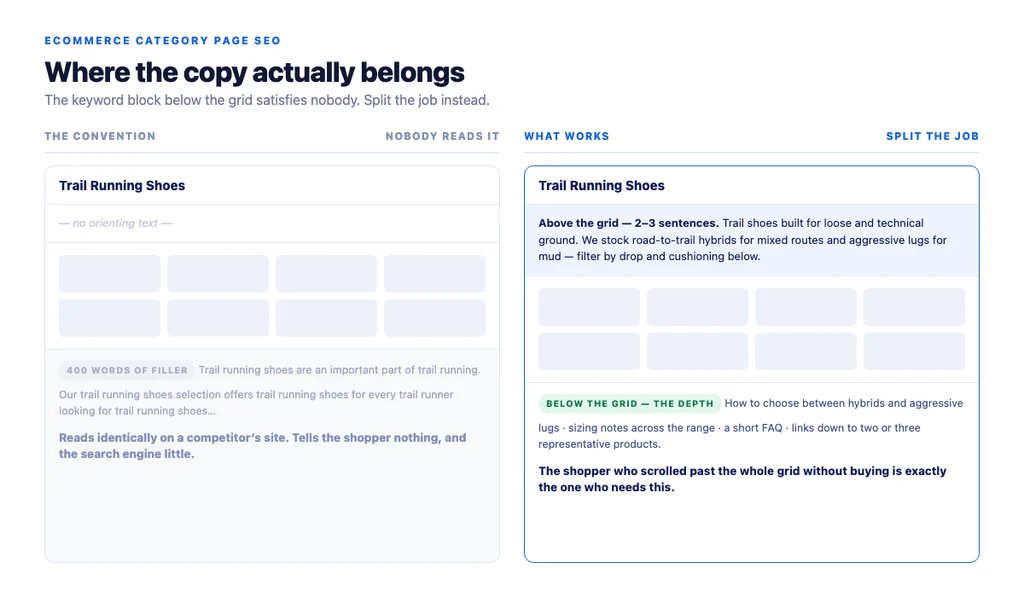
The convention of dumping 400 words of keyword text below the product grid exists because someone decided text was needed and nobody wanted it to interfere with the design. It satisfies neither the shopper nor the search engine.
A structure that works:
Above the grid — two to three sentences. What is in this category, who it is for, and how the range is organised. This is the text a shopper actually reads, and it is the text that tells a search engine what the page covers. "Trail shoes built for loose and technical ground. We stock road-to-trail hybrids for mixed routes and aggressive lugs for mud — filter by drop and cushioning below."
Below the grid — the depth. Buying considerations, how to choose between the sub-types you stock, sizing notes that apply across the range, and a short FAQ. This is where genuine detail belongs, because a shopper who scrolled past the whole grid without buying is exactly the one who needs it.
What to cut. Any paragraph that repeats the category name five times. Any text that would read identically on a competitor's page. Any block written to reach a word count.
The test is the same one Google sets in its guidance on creating helpful, reliable, people-first content: does someone leave able to make a decision? On a category page the decision is narrower — which sub-type, which filter, which two or three products to compare — but it is still a decision.
Faceted navigation without the crawl problem
Filters are where category page SEO goes wrong at scale. Every filter combination can generate a URL, and a store with five filters can produce tens of thousands of near-identical pages competing with each other and consuming crawl budget.
The workable approach is deliberate selection rather than blanket rules.
Index the filters with real demand. If "waterproof" or "wide fit" has genuine search volume in your category, make that filtered view indexable, give it a unique title and a line of unique copy, and link to it from the parent category. It is now a subcategory in everything but name.
Keep everything else out of the index. Colour, price band, sort order, and multi-filter combinations almost never have standalone demand. Canonicalise them to the parent category, and keep them out of the sitemap.
Never link to non-indexed combinations from navigation. If crawlers can reach them through links, they will, regardless of canonical hints.
| Filter type | Handling |
|---|---|
| High-demand attribute (waterproof, wide fit) | Indexable, unique title + copy, linked from parent |
| Size, colour | Canonical to parent, not in sitemap |
| Price band | Canonical to parent |
| Sort order, pagination params | Canonical to parent, not linked from nav |
| Two or more filters combined | Canonical to parent |
The internal linking layer
Category pages are where site architecture becomes visible, and where most of the available authority is left unused.
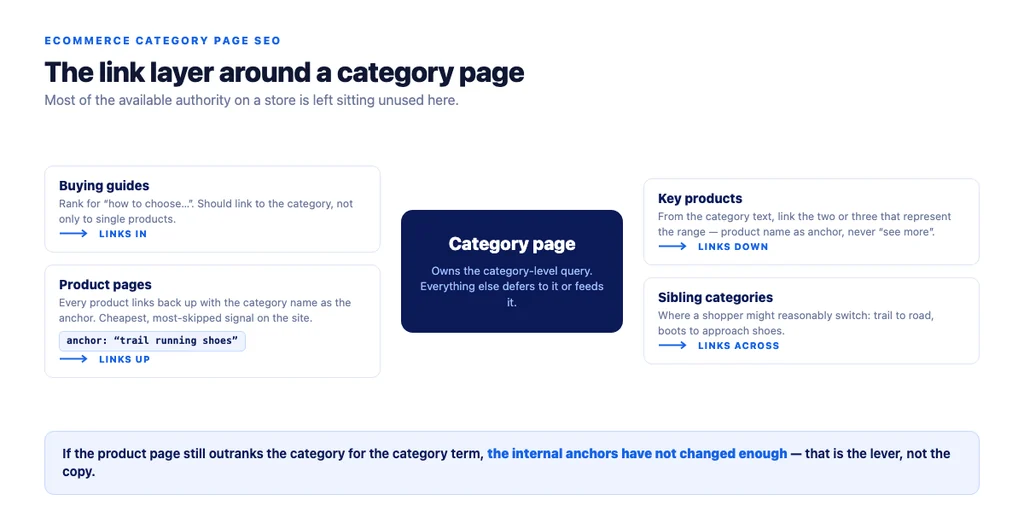
- Link down with descriptive anchors. From the category text, link to the two or three products that best represent the range, using the product name as the anchor rather than "see more."
- Link across to sibling categories where a shopper might reasonably switch: trail shoes to road shoes, boots to approach shoes.
- Link up from products. Every product page should link back to its category with the category name as the anchor. This is the cheapest, most-skipped signal on the site.
- Link in from guides. A buying guide that ranks for "how to choose trail running shoes" should link to the category, not only to individual products.
Pagination, sorting and the practical technical set
- Paginated pages should be indexable and self-canonical. Canonicalising page 2 to page 1 hides the products on page 2 from discovery.
- Give each paginated page a distinct title if your platform allows it, so they do not read as duplicates.
- Keep the first screen fast. Category pages load many images at once, which makes them the pages most likely to fail Core Web Vitals. Lazy-load below the fold, never the first row of product images.
- Serve modern image formats at correctly sized variants. A grid of full-size images is the most common cause of a slow category page.
- Structured data belongs to the products, not the category. Product rich results support pages focused on a single product or its variants, per Google's Product structured data documentation — a category page is not eligible, and marking it up as one is a misuse.
Measuring category page work
- Track the category term, not the aggregate. Site-wide averages hide everything. Pick the head term per category and watch it individually.
- Watch the query count. A category page with real copy starts appearing for attribute phrasings — "trail shoes for wide feet" — that reveal which filtered views deserve their own page.
- Check the cannibalization pair. Search Console → Performance → Queries, then check which URL Google shows for the category term. If it is still the product page, the internal anchors have not changed enough.
- Measure revenue per category page, not just traffic. Category pages sit closer to the purchase than guides and further than product pages; their value shows up in assisted conversions.
The checklist
- One primary query assigned per category page
- No product page targeting the same term
- Two or three orienting sentences above the grid
- Buying depth and FAQ below the grid
- Copy that would not read identically on a competitor's site
- High-demand filtered views made indexable with unique titles and copy
- Colour, size, price and sort combinations canonicalised to the parent
- Non-indexed combinations not linked from navigation
- Category text links down to key products with descriptive anchors
- Sibling categories cross-linked
- Product pages link up with the category name as anchor
- Buying guides link in to the category
- Paginated pages indexable and self-canonical
- First row of product images not lazy-loaded
- Modern image formats at correct sizes
- No product markup on the category page itself
Sources
- Creating Helpful, Reliable, People-First Content — Google Search Central
- Intro to Product Structured Data on Google — Google Search Central
- SEO Best Practices for Ecommerce Sites — Google Search Central
- Ecommerce Product Data and Content on Google — Google Search Central
- Google Search Essentials — Google Search Central
FAQs
Want this run against your store? Book a call with The Reach Bureau.